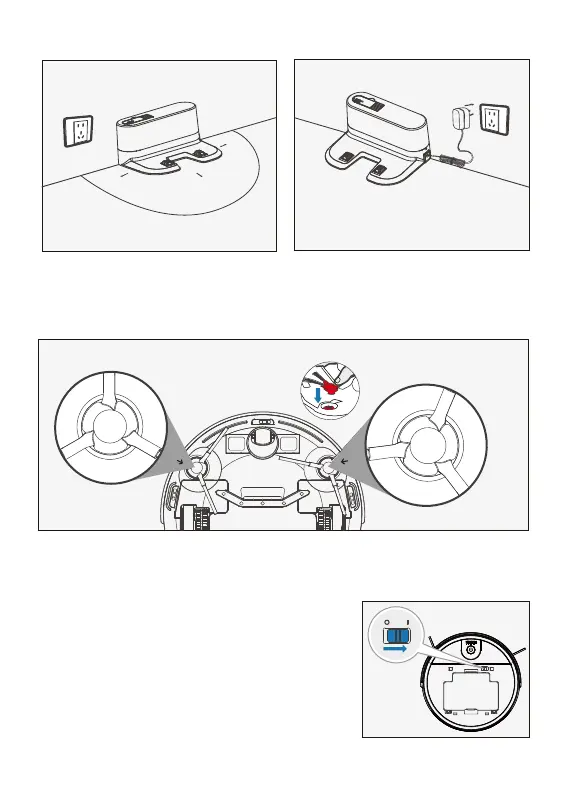
3ft/1m
3ft/1m
6ft/2m
3.Operating and Programming
Start to Charge
1.Turn on the power
Open the unit top cover, push the switch to " I "
(" I " is for turn on, " o " is for turn off). when the
robot finished work, please don't turn off: keep
the robot under charging, better for next time
cleaning.
2.Install Side Brushes
Attach Side Brushes to the bottom of robot by pressing a brush into each slot until
it clicks.
Place the charging Dock
side brush
side brush
Connect the power supply


 To Next Page