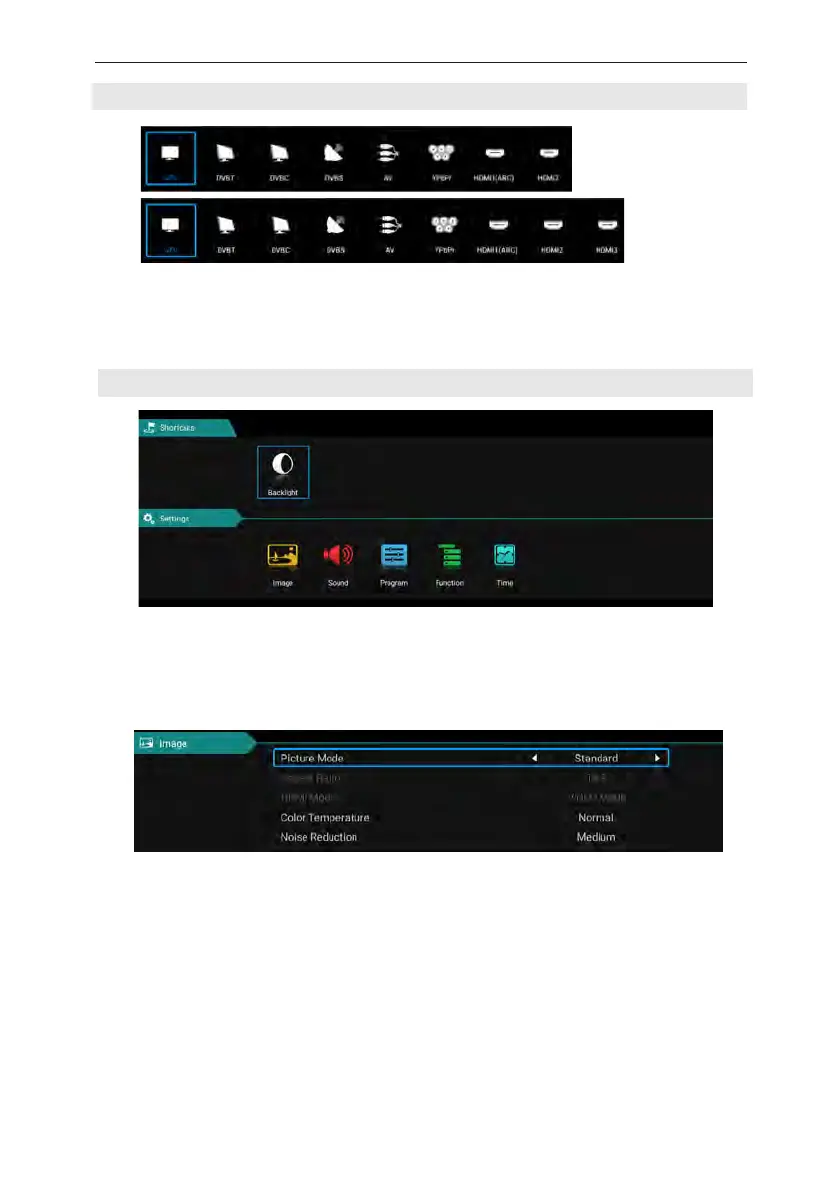
SOURCE
TV MENU
(According to the "source" button to display the input source menu, select the corresponding
input signal source by the next button, press the confirm button you can enter the relevant signal
source.)
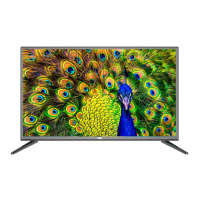
Press the “ menu ” button to display the menu, press the up and down keys to select the
appropriate settings, press the right button to enter the relevant settings.
Picture
Picture Mode
Choose the picture menu with left and right keys, and press OK button for next operation. Then
the up and down arrows can be used to select this item. The picture mode can be switched to
standard/soft/lightness/user.
Aspect Ratio
You can select ZOOM1, ZOOM2, 16:9 or 4:3 with left and right keys when the option of Aspect
Ratio is picked.。The aspect ration will automatically change in auto mode.
Color temperature
Select the option of color temperature by the above-mentioned way, then change its setting with
left and right keys. The color temperature can be cod, nature, warm, user mode.
15



 To Next Page