Need help?
Do you have a question about the VOX electronics ADS314 Series and is the answer not in the manual?
Covers fire, electric shock, liquid exposure, overloading, and proper handling to prevent hazards.
Details ventilation, placement away from heat, sunlight avoidance, and stability.
Instructions for cleaning the screen, cabinet, and mains plug.
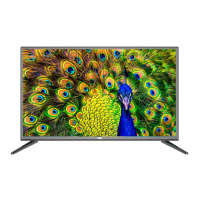
Lists main features like display type, connectivity options, and power management.
Provides model, display size, resolution, power supply, and other technical details.
Step-by-step guide for attaching and detaching the television stand.
Identifies and explains the function of buttons located on the TV's front panel.
Details the purpose and operation of each button on the remote control.
Instructions on how to properly insert and handle batteries for the remote.
Guidance on connecting 300-ohm and 75-ohm antenna cables to the TV.
Procedure for turning the TV on, off, and managing standby mode.
Guides through the initial welcome, language selection, and network configuration.
Describes the structure and sections of the TV's main home screen.
Accessing and configuring network, sound, apps, storage, language, and security.
Managing memory, backlight, Wi-Fi, picture mode, aspect ratio, and color.
Adjusting sound, managing channels, signal info, system functions, and timers.
Configuring network connections and sleep timers.
Guides for using Picture, Audio, and Video playback functions.
Lists symptoms like no power, no picture, no sound, and their respective solutions.
Critical safety warnings regarding TV placement, stability, and usage.
 General
| HDMI Ports | 2 |
|---|---|
| USB Ports | 1 |
| Display Technology | LED |
| Aspect Ratio | 16:9 |
| Refresh Rate | 60 Hz |
| Built-in Speakers | Yes |
| Screen Size | 32 inches |
| Display Resolution | 1366 x 768 pixels |

 To Next Page