Manag
e th
e Devices
1.
Modif
y and Lock the Devices
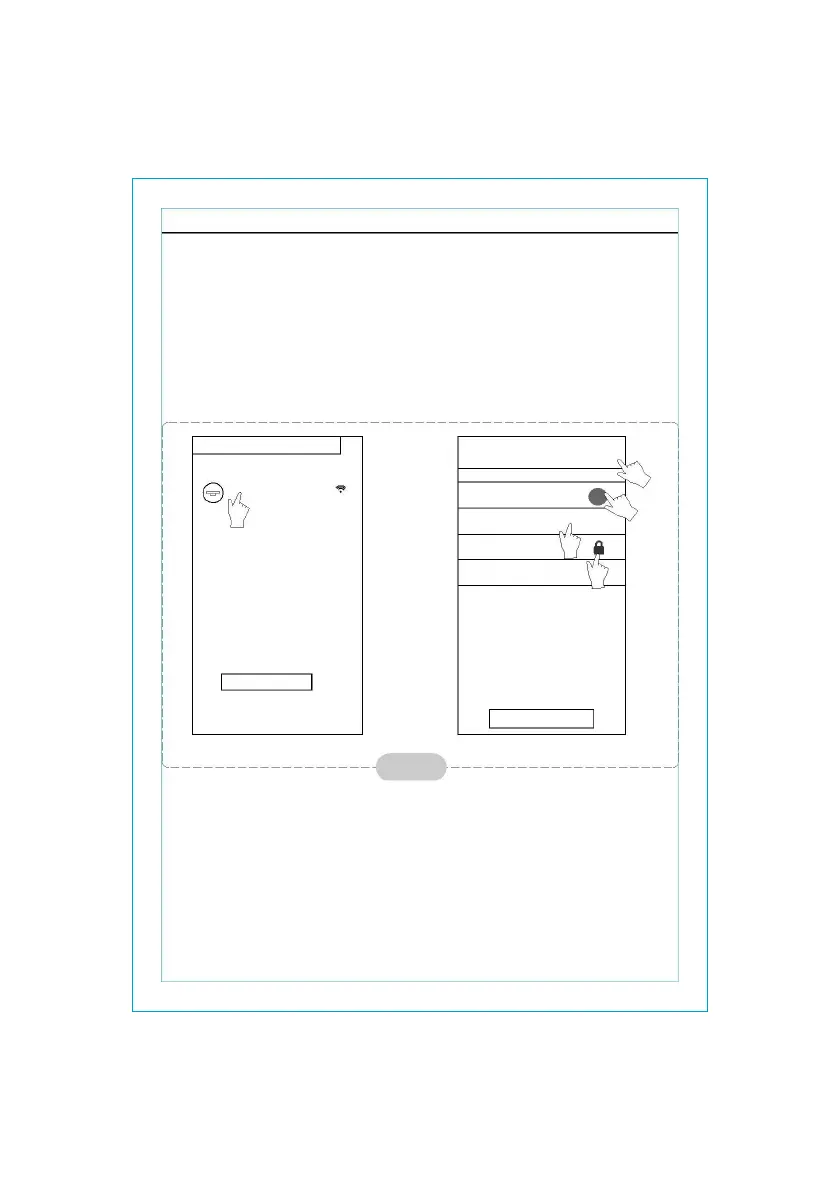
* In the "Device list" interface, press and hold for more than 5 seconds (for Android system) or
press (for IOS system) the icon of an existing device to activate the “modify the
name” interface.
You can change the name or the icon, to identify different AC devices.
* To lock a device, simply touch the “Locking Device” icon. Once a device is locked,
* other users won't be able to search for it, thus preventing it from hostile control. After the configurations of the
AC device names, icons and locking status are
complete, touching “Save” will save and validate
them.
f
igur
e 7
2.
Dele
te an AC under control
Fo
r And
roid: Click “Delete Device” button under “Modify the name” in Fig.7.
Fo
r IO
S: Swipe over the AC name to the left under “Device List” and click “Delete”.
3.Remote
cont
rol with wireless router
O
nc
e the wireless router is connected to the Internet, activating the GPRS on the
mobile terminal will enable the remote control of the devices.
- 6 -



 To Next Page