10
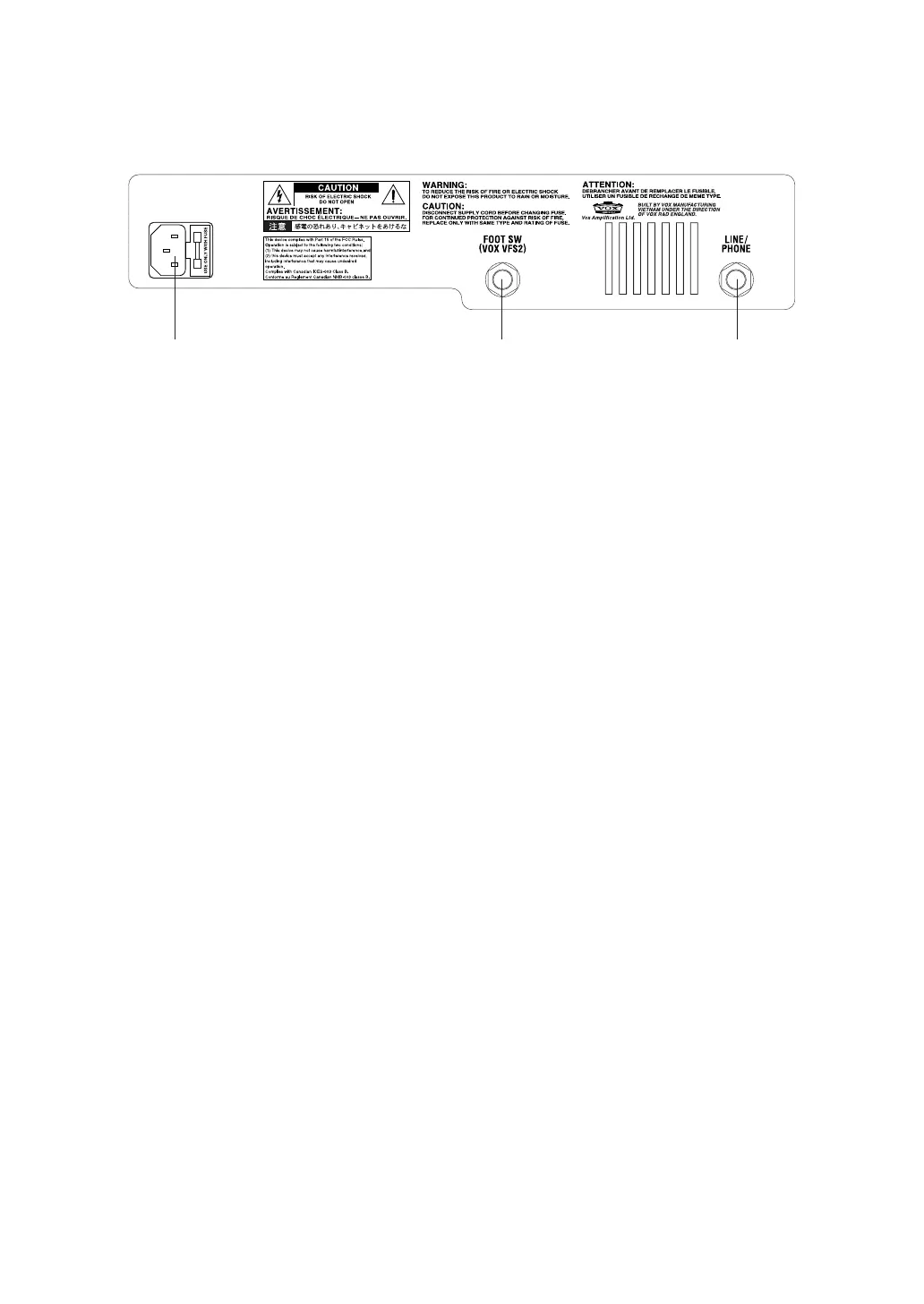
B. Rear Panel
1. AC POWER
This is where you connect the included power cord.
2. FOOT SW
You can connect the optional VFS2 dual foot switch here, and use it to switch programs or
bypass the effect while you perform.
3. LINE/PHONE
Use this jack if you’re plugging directly in to a mixer, recording device, or if you’re using
headphones. The output signal from this jack is taken before the power amp, and the
character of the guitar amp cabinet is applied to it.
NOTE: Connecting headphones to this jack will mute the internal speaker.
1 2 3


 To Next Page