S70
59
ENGLISH
PART NAMES AND FUNCTIONS
16. Jog Wheel
This touch-sensitive wheel has multiple functions:
1) Frame Search - The JOG WHEEL will act as a frame search control when the track in the pause or cue mode
(without vinyl mode engaged), allowing you to set a point.
2) Pitch Bend - During CDJ mode playback, the WHEEL also works as a pitch bend during playback, similar to
a “push” or a “drag” on a turntable. Turning the WHEEL clockwise will increase the pitch
percentage up to 16%, and turning the WHEEL counterclockwise will decrease the pitch
percentage down to -16%. The pitch bend will be determined on how fast you turn the JOG
WHEEL continuously.
3) Vinyl Simulation - When in VINYL mode, the top platter acts just like a vinyl turntable, moving the playback
position forward or back in response to your movements. The outer JOG WHEEL still
performs the pitch bend function.
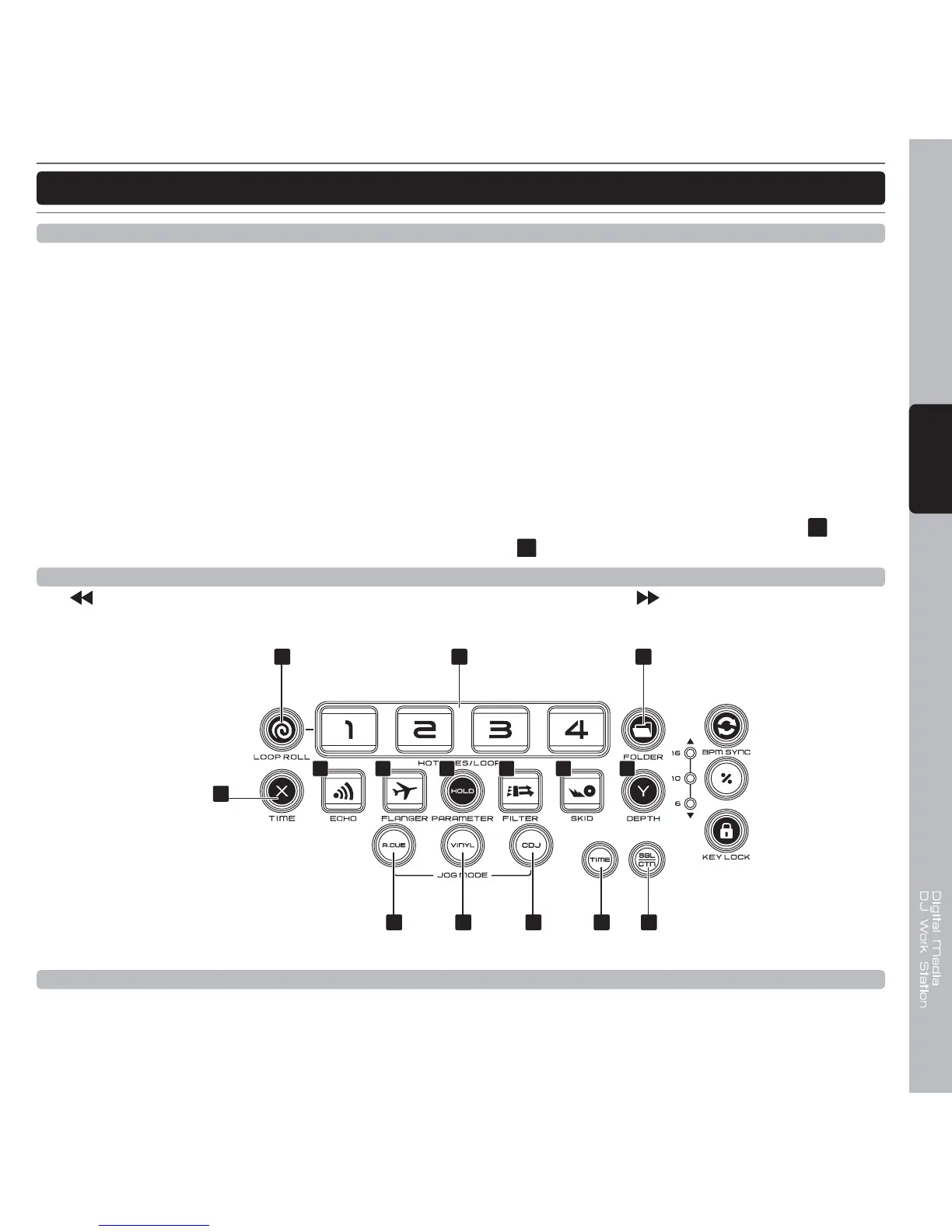
4) Effects Parameter Adjustment - The jog wheel can be used with pressing the X Parameter (TIME)
21
button
or Y Parameter (DEPTH)
27
button to set effects parameter adjustment.
17. Search buttons
This search button allows you to quickly scan backwards through a track. This search button allows you
to quickly scan forwards through a track.
31 32302928
19 2018
21
22 23 24 25 26 27
18. Active Loop Roll mode
Press this button to active the HOT CUE buttons as “LOOP ROLL” buttons. Under the LOOP ROLL mode hold
the HOT CUT 1 as 1/16 beats loop roll, hold the HOT CUE 2 as 1/8 loop roll, hold the HOT CUE 3 as 1/4 loop
roll, and hold the HOT CUE 4 as 1/2 loop roll.



 To Next Page