EasyManua.ls Logo

Voxx Electronics ACA800 - Installation Guide; License Plate Mounting

Voxx Electronics ACA800
9 pages
Print Icon
To Next Page IconTo Next Page
To Previous Page IconTo Previous Page
Loading...
License
Plate
Mounting
1.
Remove
the
rear
license
plate.
2.
Examine
the
vehicle
to
determine
the
best
way
to
run
the
power
wires
to
the
reverse
lights
and
the
extension
cable
through
the
car.
3.
The
Camera
can
be
mounted
above
or
below
the
plate.
(For
surface
mounting
with
the
included
bracket,
see
the
next
section.)
Determine
the
mounting
location
that
best
suits
your
needs.
Be
sure
to
verify
that
the
installation
plan
complies
with
local
laws
and
requirements.
Most
states
require
that
the
state
name,
registration
stickers,
and
license
number
are
not
obstructed
in
any
way.
4.
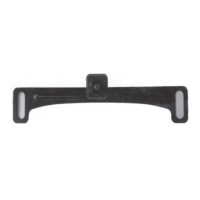
Place
the
camera
bracket
behind
the
license
plate
and
line
up
the
holes.
Fasten
the
camera
mounting
bracket
and
the
license
plate
to
the
vehicle
using
the
anti-theft
screws
provided.
After
installation
of
screws
with
the
tool
provided,
place
the
tool
in
the
glove
compartment
or
other
safe
place
for
future
use.
NOTE:
If
you
decide
to
mount
the
camera
at
the
bottom
of
the
license
plate,
you
must
first
remove
the
screw
that
holds
the
camera
to
the
bracket
and
flip
the
camera
over
so
the
picture
will
not
be
displayed
up
side
down.
5.
Route
the
camera
wiring
into
the
vehicle.
The
wire
can
be
run
through
an
existing
grommet,
behind
a
tail
lamp,
under
the
trunk
molding,
or
if
necessary,
through
a
5/16
inch
hole
drilled
near
the
vehicle's
rear
license
plate.
When
choosing
a
wiring
path,
make
sure
the
cable
will
not
be
damaged
or
pinched,
as
this
may
cause
a
short
circuit
that
is
not
covered
by
the
warranty.
If
drilling
a
hole,
perform
the
following
steps:
A.
Acquire
a
5/16
inch
drill
bit
and
rust
preventive,
all
of
which
can
be
purchased
at
a
hardware
store.
B.
Check
behind
the
intended
drilling
location
before
drilling
to
verify
that
no
wires
or
mechanisms
can
will
be
damaged
during
drilling.
C.
Check
for
interference
with
license
plate
lights
and
the
hatch
release
switch
and/or
mechanism.
D. Drill a
5/16
inch
hole
at
the
selected
location.
E.
Coat
the
edge
of
the
hole
with
rust
preventative.
F.
Route
the
camera
cable
through
the
grommet
and
then
through
the
hole.
G.
Insert
the
grommet
in
the
hole
to
keep
water
from
entering
the
vehicle.

Related product manuals