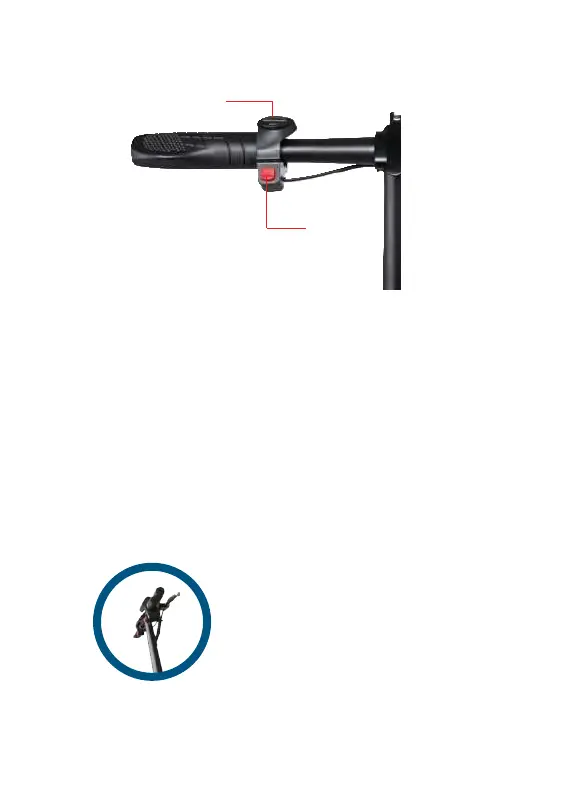
LIGHT SWITCH
Slide the light switch to the ON position to turn on the front headlight,
helping you see more clearly, and also making your bike easier to be seen.
Slide the light switch to the off position to turn off your headlight.
HORN
Press the horn button in order to sound the bike’s horn. Use the horn
sparingly, most frequently in situations that maximize safety.
HANDBRAKE
Squeeze the handbrake when necessary in order to reduce your speed.
Avoid abrupt braking at high speeds in order to ensure safety and lengthen
the life of your bike’s tires.
Once your bike is powered on, you can access the below features:
Squeeze the hand brake on the
right handlebar to decelerate or
come to a complete stop in all
modes.
BIKE FEATURES
11
Horn
Light Switch


 To Next Page