Need help?
Do you have a question about the Voyager WVSXM70CV and is the answer not in the manual?
Step-by-step guide to mounting the monitor and connecting power.
How to turn on the monitor, check signal strength, and adjust viewing angle.
Instructions for pairing the monitor with wireless cameras.
How to turn the monitor on and off using the power button.
Changing AV source and initiating the pairing mode.
Accessing and adjusting settings like brightness, contrast, and mirror view.
Information on FCC compliance and potential radio frequency interference.
Important safety warnings regarding the use of camera and monitor systems.
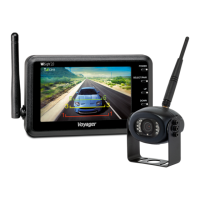
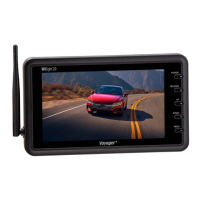
The Voyager Digital Wireless Observation Monitor, featuring WiSight 2.0 Technology, is a sophisticated system designed to enhance vehicle observation and safety. This monitor offers a range of functionalities and features that make it a versatile tool for various applications, from recreational vehicles to commercial setups.
The primary function of the Voyager Digital Wireless Observation Monitor is to provide a clear, real-time visual feed from one or more wireless cameras to a central display. This system is engineered to offer an unobstructed view of areas around a vehicle that might otherwise be blind spots, significantly improving situational awareness for the driver. It operates on WiSight 2.0 technology, which ensures a robust and interference-free wireless connection between the cameras and the monitor. This digital wireless communication eliminates the need for complex wiring, simplifying installation and enhancing portability.
The monitor can support up to four wireless cameras simultaneously, allowing for comprehensive coverage around the vehicle. Users can switch between different camera views or display multiple views at once, depending on their needs. The system is particularly useful for backing up, maneuvering in tight spaces, or monitoring towed vehicles, providing critical visual information to prevent accidents and damage. The ability to select between mirror and normal view further customizes the display to match the driver's preference and application.
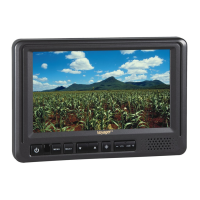
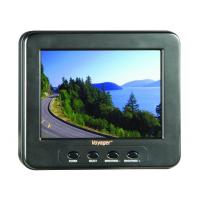
The Voyager monitor is designed for ease of use and portability. Its 7.0-inch LCD color monitor comes with a suction cup mount, enabling quick and flexible placement on a windshield or other flat surfaces within the vehicle. Power is supplied via a 12 Volt DC accessory plug, making it compatible with most vehicle power outlets.
Installation is straightforward: plug the power cable into the monitor, attach the suction cup mount, secure it to the windshield, connect the power cord to a 12V DC outlet, and align the antenna upright. The system includes an auto-pairing function, which simplifies the connection process between the monitor and the cameras. If pairing is not automatic, a manual pairing process is available, involving pressing and holding the "SEL/PAIR" button on the monitor while ensuring the camera receives power. The monitor provides visual feedback, displaying "PAIRING SUCCESSFUL" or "PAIRING FAIL" to guide the user.
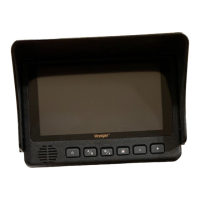
The monitor's interface is intuitive, featuring dedicated buttons for power, select/pair, menu, and up/down navigation. The power button turns the monitor on and off. The select/pair button allows users to change the AV source with a short press or initiate pairing mode with a longer press. The menu button provides access to various adjustment modes, including brightness, contrast, color, tint, mirror/flip, auto-power, dimming, screen saver, scale marker, split menu, 2 split channel select, trigger delay, and volume.
Users can adjust display parameters such as brightness, contrast, color, and tint to optimize the image quality for different lighting conditions. The mirror/flip function allows for horizontal or vertical image reversal, which is crucial for proper orientation when using a rear-view camera. The auto-power feature enables the system to automatically turn on or off with the vehicle's accessory power.
Dimming settings offer multiple levels (Day, Night1, Night2, Night3) to reduce screen brightness during nighttime driving, preventing glare and enhancing comfort. A screen saver function can be activated to dim the display to 10% luminance after one minute of inactivity, conserving power and reducing distraction. The scale marker feature provides visual guides on the screen, which can be helpful for judging distances while maneuvering.
The split menu function allows users to display multiple camera feeds simultaneously, with options for 2-split, quad, or H-split layouts. The 2-split channel select feature enables specific camera combinations to be displayed in split mode. A trigger delay function can be configured to control how long a camera view remains active after a trigger event. The volume control adjusts the audio output from cameras equipped with microphones.
The Voyager Digital Wireless Observation Monitor is designed for reliable operation, but troubleshooting guidance is provided for common issues. If the monitor does not turn on, users should check the power cord connection to both the monitor and the 12VDC socket, and inspect the fuse in the cigarette socket adapter.
If the monitor displays "No Signal," it is recommended to check the 12VDC power supply to the camera, ensure the antenna is tightly connected and correctly oriented, verify that the monitor is set to the correct channel (CH1), and attempt to manually re-pair the system. For intermittent reception, ensuring the antenna is tight and installed vertically can often resolve the issue.
The system's WiSight 2.0 technology is designed to minimize interference and maintain a strong signal. However, it is advised to maintain at least three feet of separation between the monitor and other RF transmitting/receiving devices, such as in-vehicle Wi-Fi systems, personal Wi-Fi hotspots, or Bluetooth devices, to prevent potential signal reductions or delays. If difficulties arise, adjusting the placement of devices to increase separation is recommended.
The device is built to comply with FCC regulations, ensuring it operates within specified limits for radio frequency emissions. Users are cautioned against making unauthorized changes or modifications to the equipment, as this could void the user's authority to operate the device and potentially exceed RF exposure requirements. Regular checks of connections and antenna positioning are simple maintenance steps that can ensure consistent performance.
 General
| Refresh Rate | 60 Hz |
|---|---|
| Aspect Ratio | 16:9 |
| Brightness | 400 cd/m² |
| Color Support | 16.7 million colors |
| Built-in Speakers | Yes |

 To Next Page