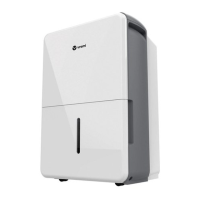
Dehumidifier 50, 35, 22 Pint · Operation · 15
"Timer" button
∙ Press to set an "Auto On" or an "Auto Off Timer"
(0–24hours) in conjunction with the and buttons.
The timer runs only one cycle, thus remember to set a
timer before next time’s use.
∙ After plugging in the appliance, press "Timer" button,
the "Timer Off" indicator will light up, meaning the "Auto
Off Timer" setting is activated. Use and buttons to
set the value of time you want to shut down the appliance.
The one-off "Auto Off Timer" setting is nished.
∙ Press "Timer" button again, the "Timer On" indicator
will light up, meaning the "Auto On Timer" setting is
activated. Use and buttons to set the value of time
you want to turn on the appliance next time. The one-off
"Auto Off Timer" setting is nished.
∙ To change the timer settings, repeat the above
operations.
∙ Press or hold and buttons to change the "Auto
Time" by 0.5 hour increments, up to 10 hours, then at
1hour increments up to 24hours. The control will count
down the time remaining until start.
∙ The selected time will register in 5 seconds and the
system will automatically revert back to display the
previous humidity setting.
∙ To cancel a timer, adjust the timer value to 0.0. The
corresponding "Timer" indicator will light off, meaning
the timer is canceled. Another way to cancel a timer is to
restart the appliance, the one-off timer will also become
invalid.
∙ When the Bucket is full, the screen displays “P2” error
code, the appliance will then shut down automatically.
Both the "Auto On Timer" and "Auto Off Timer" will be
canceled.
LED display
Shows the set % humidity level from 35% to 85% or auto
start/stop time (0~24) while setting, then shows the
actual (±5% accuracy) room % humidity level in a range of
30%RH (Relative Humidity) to 90% RH (Relative Humidity).
Error Codes:
AS – Humidity sensor error
ES – Temperature sensor error
Protection Codes:
P2 – Bucket is full or Bucket is not in right position.
Empty the Bucket and replace it in the right position.


 To Next Page
 Loading...