www.vrisimo.com 12
Adjustments and Maintenance
Cleaning Your Shredder
ATTENTION
To preserve life of paint and decals, wash the shredder after each use. The preser-
vation of your shredder’s decals is essential to safety, so make sure they are kept in
good condition.
It is recommended that some sort of degreasing solution be used on all bearings.
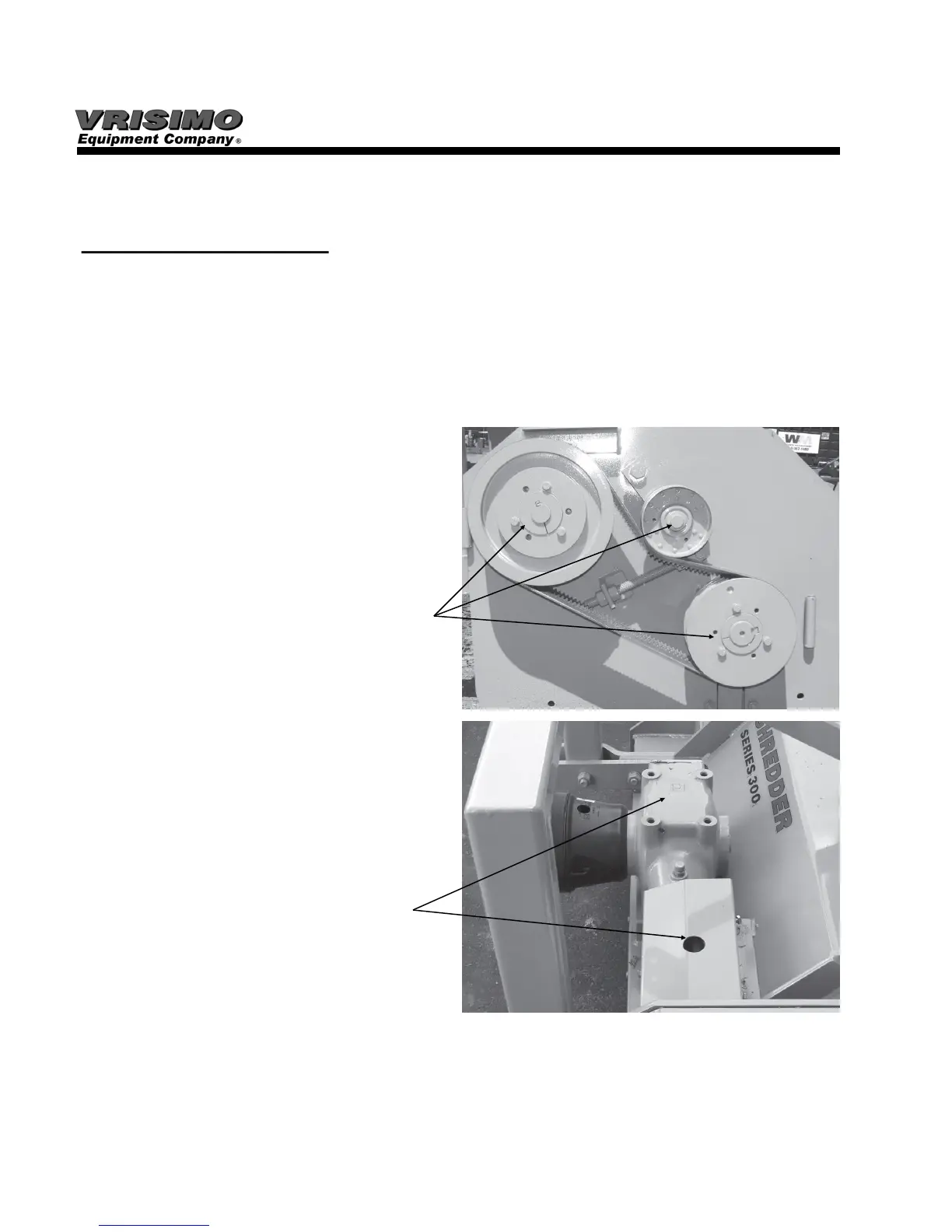
1. Check for excessive grease in bearing
areas on the pulley side of the shredder.
Make sure that grease is not allowed to
get into the belt areas.
Check bearing areas
underneath pulleys
and remove any
caught clippings.
2. Clean any clippings from gearbox areas,
pulley areas and anywhere else that is
prone to excessive heat where fires can
start.
Check gearbox area
and under safety
shields for clippings.
3. Clean the inside of the shredder with a pressure washer. Make sure the inside of the
shredder is kept free from mud and compact grass. Keep in mind that mud built up on
the cutter drum can cause imbalance.
4. Preserve damaged decals or replace them if they are unreadable. Decal kits can be
obtained from your local Vrisimo dealer.
500 Series



 To Next Page