VSPHOENIX S MANUAL 25
How to get into SETUP MODE
SETUP MODE
24 VSPHOENIX S MANUAL
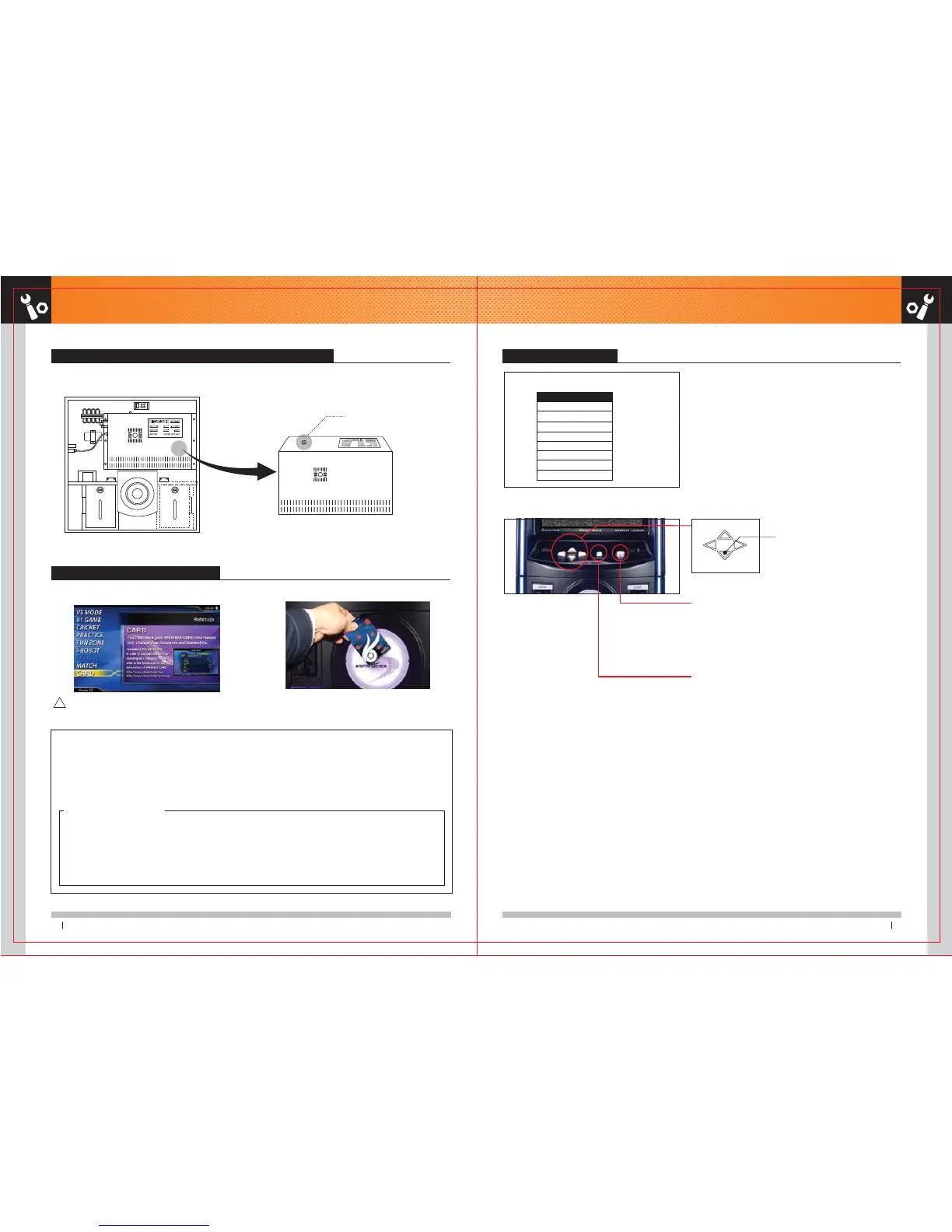
1. How to get into SETUP MODE by pressing Setup button on PC Box SET UP MODE CONTROL
1. Open the lower door of VSPHOENIX S with power ON. 2. If you press the SETUP button on top of the PC Box, you will
get into SETUP mode.
You can use arrow buttons to set the menu.
MAIN MENU
EASY SETUP
GAME SETTING
MENU SETTING
SYSTEM SETTING
COIN ASSIGNMENT
BOOKS
EVENT LOG
MACHINE STYLE
EXIT
HOW TO SET ADMIN CARD
You can enter into SETUP mode without opening top of VSPHOENIX S
. There is 2 ways to do as followings.
OPERATOR: An operator has an authority to set up all things in setup menu including payment and setting.
LOCATION: Only EASY SETUP including volume, adjust and hardware test are allowed to setup.
HOW TO SET ADMIN CARD
1. Be ready to have a phoenix card can be used at the shop.
2. Open the VSPHOENIX S lower door. Press the setup button on top of the PC Box and enter into the main menu.
3. Select SYSTEM SETTING.
4. Select the SET ADMIN CARD at the system setting.
5. Select the set of OPERATOR (or LOCATION) and touch the phoenix card you previously have prepared.
6. When a card data at the right side is shown, select the SET and press the red button.
2. HOW TO SET ADMIN CARD
2. Touch the ADMIN CARD at the card reder machine
If video is playing on screen, press a button to stop it.
!
※ Use the Arrow Buttons to navigate the menu. And select menu
by pressing Enter Button. After selection, press Cancel Button to exit the menu.
※
To go to GAME screen from SETUP MODE, press Option button.
1. Arrow Buttons
Use the arrow keys to navigate the menu.
3. OPTION Button(Also as Cancellation Button)
It works as EXIT button.
2. ENTER Button
Up
Left Right
Down
1. Check if the game screen of VSPHOENIX S LED monitor is the
main screen..
SET UP Button
PC Box
1.
2.



 To Next Page