Need help?
Do you have a question about the VSYSTO M6L and is the answer not in the manual?
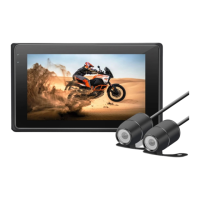
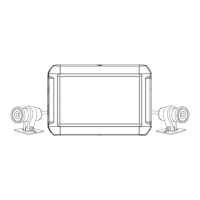
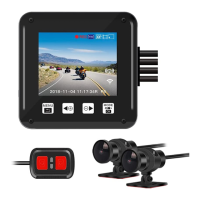
Details the physical structure and components of the VSYSTO dash cam system.
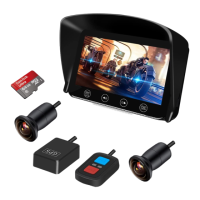
Details optional accessories like the wired remote and GPS tracker, explaining their functions and usage.
Instructions on how to install the dash cam system on a motorcycle, with references to external guides.
Step-by-step guide on how to correctly insert and remove a memory card from the dash cam.
Explains how the dash cam automatically powers on and off with the motorcycle ignition, and manual control methods.
Details the normal and emergency video recording modes, including loop recording and G-sensor event recording.
Instructions on how to play back recorded videos on mobile devices and PCs, and how to interpret video file names.
Guides users on connecting to the dash cam via Wi-Fi, using the mobile app for playback, and changing settings.
Provides information on the 12-month warranty period and where to find further details.
Directs users to the FAQ page for answers to common questions not fully covered in the manual.
Lists contact methods (email, social media) for product support, requesting order number and model number.
Encourages users to share their product experience and provide feedback for product improvement.
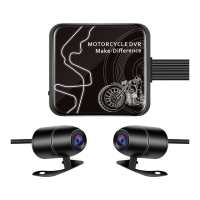
This document describes the VSYSTO 2CH motorcycle dash cam system, a device specifically designed for motorcycles to enhance security and provide a means to record rides. It features a dual dash cam setup, allowing users to capture high-resolution videos from two viewpoints simultaneously. The system is designed for ease of use, allowing riders to install it and then largely forget about it, focusing on enjoying their ride.
The core function of the device is to record video, offering both normal and emergency recording modes. In normal video mode, the dash cam automatically begins recording when the motorcycle is powered on and stops when the bike is turned off. For smart power cables, it continues recording for approximately 3 minutes after the bike is no longer in use. Users can also manually stop recording by pressing the 'OK' button on the wired remote. The system supports loop recording by default, continuously recording videos in assigned lengths (defaulting to 3 minutes). When the memory card reaches its maximum capacity, the oldest footage is automatically deleted to make space for new recordings. Alternatively, loop recording can be turned off, in which case the device records 30-minute clips for both front and rear cameras without overwriting until the memory is full, at which point it stops recording. It's crucial to note that video recording requires a micro SD card.
Emergency video mode is activated automatically by the G-Sensor when a collision is detected, or manually by pressing the emergency button on the wired remote during recording. Videos recorded in emergency mode are protected from being overwritten, ensuring critical footage is preserved. These files are named with prefixes like "GSR" for G-sensor triggered events and "KEY" for manually triggered events, followed by a sequence number and timestamp.
The device offers several usage features to enhance the user experience. It includes separate dual cameras, providing comprehensive coverage. High-definition resolution ensures clear video quality. A built-in Wi-Fi module allows for connection to a mobile app (available for Android and iOS), enabling users to play back recorded videos, save them to their smartphone, and change dash cam settings directly from their mobile device. The mobile app also allows users to manually start/stop recording, take photos, and switch between front and rear camera views.
For power management, the system utilizes a super capacitor design instead of a Li-ion battery, which can offer advantages in terms of durability and temperature tolerance. It provides continuous uninterrupted power supply and supports automatic power on and off with the motorcycle's ignition. The main unit is not waterproof, but the cameras themselves are waterproof, rated at IP67. An optional GPS tracker can be integrated to display movement on a Google map and speed during video playback using the dedicated GV Player software on Windows.
Playback options are versatile. Videos can be played back on a mobile device via Wi-Fi using the dedicated app, or by plugging the micro SD card into the mobile device with an OTG card reader. For PC playback, the micro SD card can be inserted into a USB port via a card reader. Video files are organized into "FRONT" and "REAR" folders for easy navigation.
Maintenance features primarily revolve around the memory card. Users are advised to ensure the memory card is inserted correctly, with the golden finger side facing the DVR screen. It is critical not to remove or insert the memory card while the device is powered on to prevent damage. The use of high-speed micro SD cards with CLASS⑩ rating is recommended. Formatting cards before use and whenever a significant amount of data has been collected is advised to ensure proper device and SD card functionality. The wired remote also has a function to reset the Wi-Fi SSID and password by long-pressing its button for 5 seconds.
The manual also provides troubleshooting tips for GPS signal reception, advising users that it may take a few minutes to receive the signal initially and that environmental factors like indoor settings or high buildings can affect it. It recommends fixing the GPS module externally and avoiding placing it in metal cases.
Overall, the VSYSTO 2CH motorcycle dash cam system is a robust recording solution for motorcyclists, offering automated recording, emergency event protection, and convenient mobile connectivity for viewing and managing footage, all designed with the practicalities of motorcycle use in mind.
 General
| Aperture | F1.8 |
|---|---|
| Waterproof | IP67 |
| Loop Recording | Yes |
| G-Sensor | Yes |
| Operating Temperature | -10°C to 60°C |
| Night Vision | Yes |
| Video Resolution (Rear) | 1920*1080P |
| Lens Angle | 170° |
| Storage | MicroSD up to 256GB |

 To Next Page