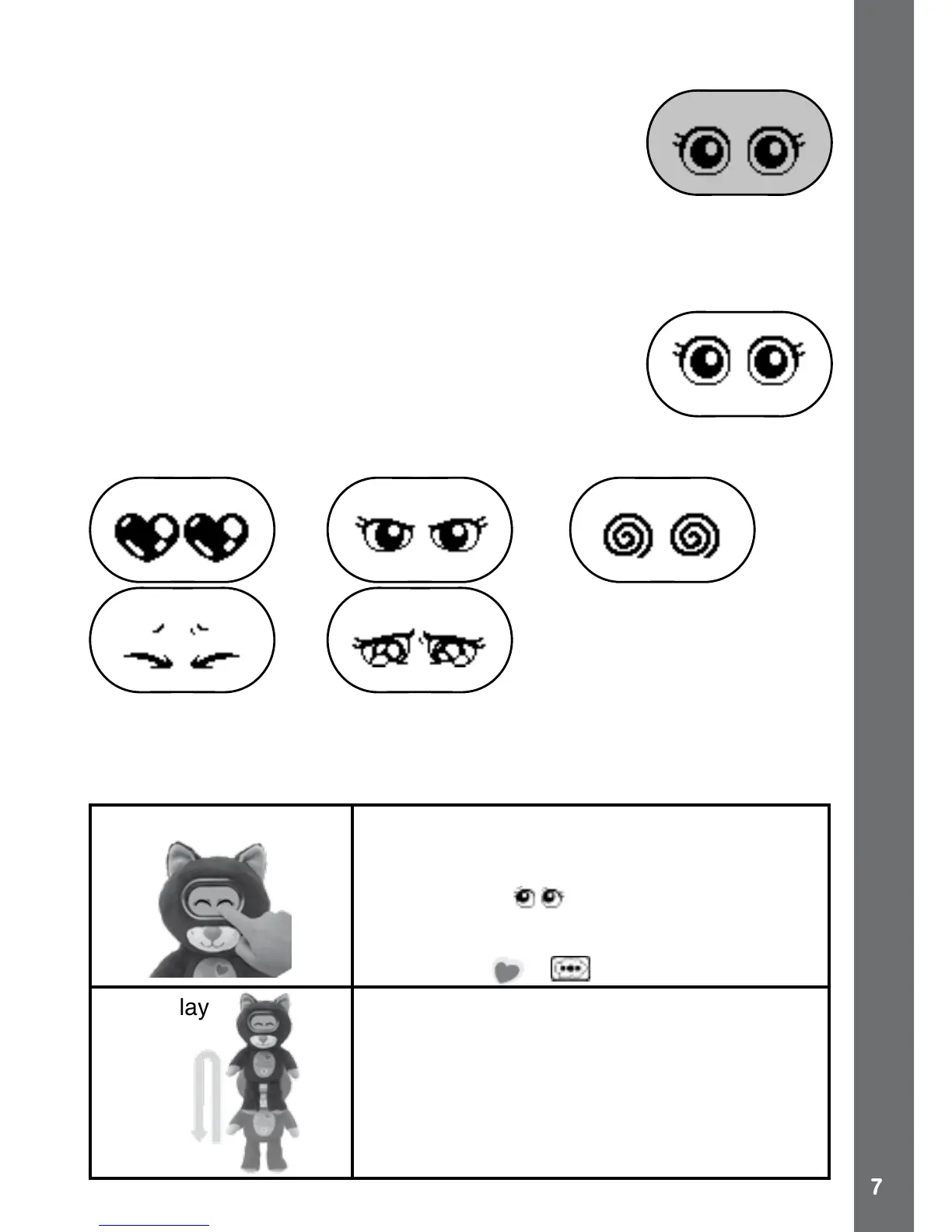
Standby Mode
To preserve battery life, the VTech
®
KidiFlufes will
automatically enter Standby Mode after approximately
120 seconds without input. The unit can be woken
again by pressing the LEFT or RIGHT button. In
Standby Mode the backlight will be off, and there will be
no animations. The KidiFlufes eyes will update each
minute to reect its current condition.
PET MODE
When KidiFlufes is in Standby Mode press the LEFT
or RIGHT button to activate Pet Mode. If you are on
the MENU screen, touch KidiFlufes FOREHEAD to
return to Pet Mode.
Interact with your KidiFlufes in Pet Mode by speaking to or moving it
around. It will respond with different eye expressions and phrases.
Trick Commands
When KidiFlufes is in standby in Normal condition, it will respond to 13
actions.
1. Silly Talk Double tap on the screen to activate Silly
Talk mode. Here KidiFlufes will repeat
what you say. Speak when you see its
listening eyes . Press the OK button to
exit Silly Talk or it will return to idle state
automatically. Note: You can also use the
Main Menu > to enter Silly Talk.
2. Air Play Throw KidiFlufes into the air and listen to
the fun responses.
Note: If you do this too many times it will not
like this and ask you to stop.
PET MODE







 To Next Page