EasyManua.ls Logo

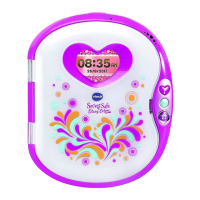
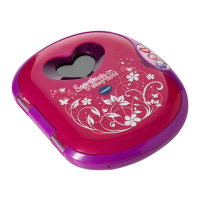
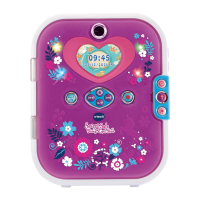
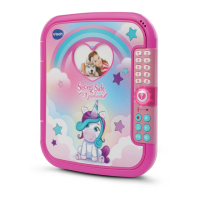
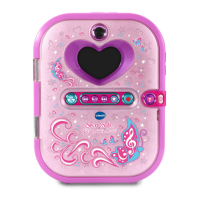
VTech Secret Safe Diary Selfie Music - User Manual

VTech Secret Safe Diary Selfie Music
30 pages
Print Icon
To Next Page IconTo Next Page
Loading...
91-003512-006
UK
Parents Guide

Questions and Answers

  • S
    Sydney WalkerAug 3, 2025
    What to do if I can't view transferred music, video, or photo files on my VTech Secret Safe Diary Selfie Music Toy?
    • J
      Jessica JenkinsAug 3, 2025
      To ensure proper functionality of your VTech Toy, check if the transferred files are placed in the correct directory. Photos should be in the DOWNLOAD/PHOTO folder, videos in the DOWNLOAD/VIDEO folder, and songs in the MUSIC folder when the device is connected to a computer. Also, the device only supports photos in Standard Baseline JPEG, videos in AVI (Motion JPEG), and songs in MP3 formats.
  • P
    Peter BeanAug 8, 2025
    Why is my memory card not being detected in my VTech Toy?
    • U
      uthomasAug 8, 2025
      If your VTech Toy memory card can’t be detected, first ensure it's correctly inserted. Then, verify that it's a supported type (microSD or microSDHC card). Also, confirm that the file system is FAT or FAT32, as the device doesn't support NTFS or exFAT. It is recommended to back up all important data from your memory card and format it in either the FAT or FAT32 file system before using.
  • B
    Brandi ColemanAug 12, 2025
    What to do if my VTech Secret Safe Diary Selfie Music diary stops working?
    • J
      Jacob TorresAug 12, 2025
      If your VTech Toy diary stops working, try these steps: First, remove the batteries and let the diary sit for a few minutes, then replace them. If that doesn't work, turn the diary ON. If it still doesn't work, install a brand new set of batteries.
  • W
    wagnermichaelAug 17, 2025
    What to do if I cannot save files on my VTech Toy?
    • G
      Gary LynchAug 17, 2025
      If you cannot save files on your VTech Toy, check if the memory card is full. If there is no memory card inserted, check the internal memory.
  • W
    William WilliamsAug 23, 2025
    How to fix a blurry image on my VTech Secret Safe Diary Selfie Music?
    • D
      Donald EnglishAug 23, 2025
      If the image taken with your VTech Toy is not clear, ensure that you hold the device steadily. Also, make sure the lighting conditions are good and check if the camera lens protection window is clean.
  • R
    Ruth FisherAug 27, 2025
    What to do if my VTech Secret Safe Diary Selfie Music screen displays incorrectly?
    • J
      jessica04Aug 28, 2025
      If the screen on your VTech Toy displays incorrectly, turn off the device and let it sit for a few minutes without batteries, then replace the batteries.

Summary

Product Specifications

Important Warning

Getting Started: Battery Installation

Battery Notice and Disposal

Memory Card Installation

Product Features

Unlock Button Functionality

Explains how to use the unlock button for face unlock and password access.

Reset Button Functionality

Details on how to reset face unlock and number password, and activate normal play mode.

Connecting to a Computer

Computer Connection System Requirements

To Begin Play: Activating Normal Play Mode

Setting Face Unlock

Setting Number Password

Using Face Unlock When Already Set

Important Notes for Face Unlock

Resetting the Password

Activities Overview

Camera Activity

How to use the camera to take photos and videos, and manage memory capacity.

Category 1: My Photo and Voice Diary

Category 2: My Pet Friend

Category 3: My Stylist

My Stylist 1: My Dressing Room

Dressing up your avatar by taking photos or using gallery images and selecting clothing items.

My Stylist 2: My Stylish Makeup

Applying virtual makeup to photos of your face using functions like blush, eyeshadow, and lipstick.

Category 4: Media Mania

Photo and Video Editing

Editing photos with effects and items, and editing videos with music, borders, or speed adjustments.

Animation Station and Gallery

Creating animations with face and voice, and viewing, deleting, or transferring media files.

Category 5: My Games and Activities

Typing and Number Games

Playing Typing Test and Number Fun games to improve typing skills and number recognition.

Puzzle and Arcade Games

Playing Sudoku, Bubble Blast, Order Up, and Parrot Pal games with varying difficulty levels.

Challenge and Fun Games

Playing Jumping Challenge, Bridge Building, Crystal Ball, and Face Fun games for activity and comparison.

Category 6: My Tools

My Tools: Security and Alerts

Managing number password, face unlock, and setting event alerts for special occasions.

Care and Maintenance

Troubleshooting

Basic Operation Issues

Solutions for diary not working or images being unclear, involving battery checks and environmental factors.

Connection and Card Issues

Resolving computer connection problems and memory card detection errors, checking file systems.

Product Warranty Information

VTech Secret Safe Diary Selfie Music Specifications

General IconGeneral
DisplayLCD screen
MaterialPlastic
FeaturesMusic player
Age Range6+ years
ColorPink
PowerBattery-powered
ThemeDiary, Music
Special FeaturesMusic Player

Related product manuals