6
Instructions & Activities
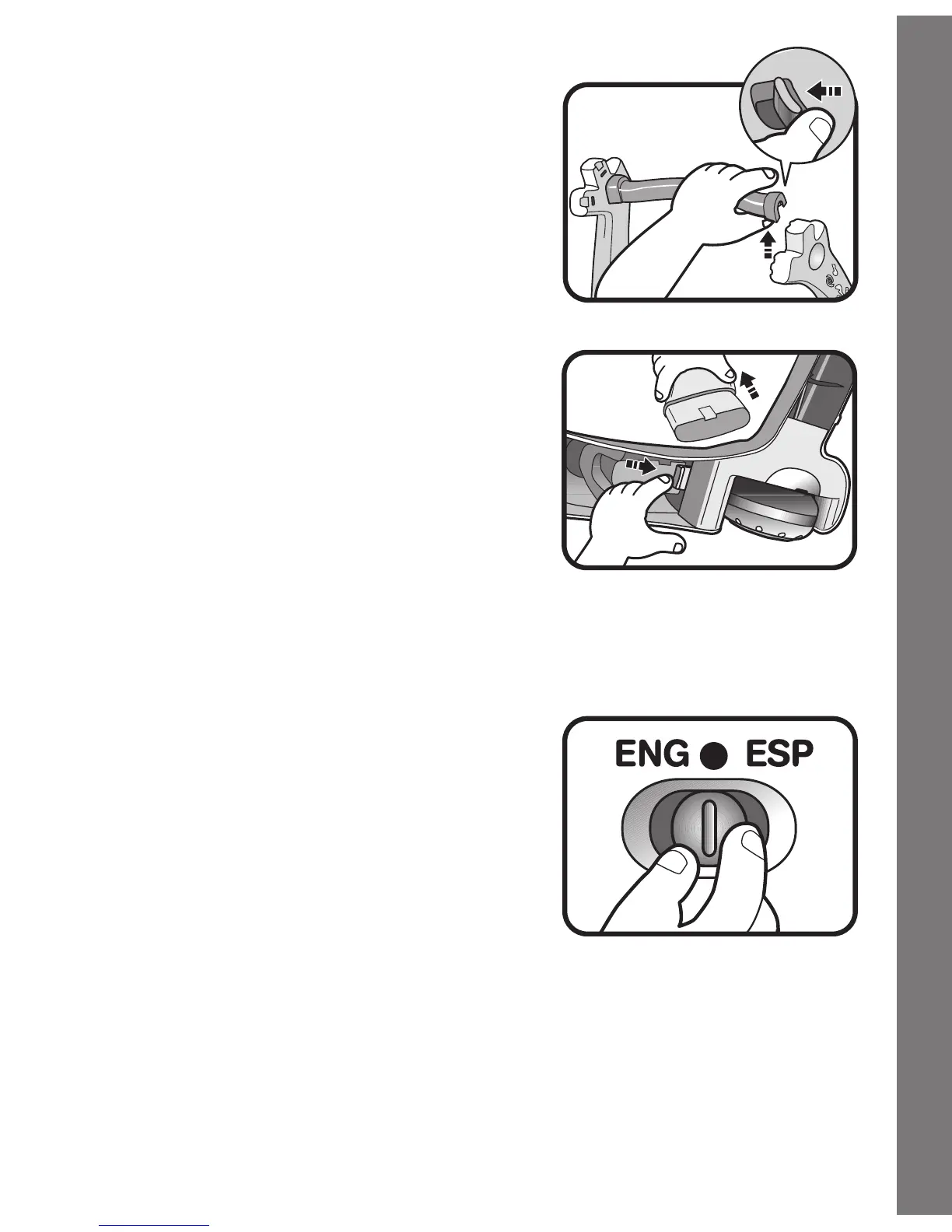
2. Remove the handle by pressing the
release button located below the
handle on the right side.
3. Unlock the legs by pressing firmly on
the release buttons on the underside
of the base.
PRODUCT FEATURES
1. ON/OFF/LANGUAGE SELECTOR
SWITCH
To turn the unit
ON, move the
ON/OFF/LANGUAGE SELECTOR
SWITCH to the ENGLISH (ENG) or
SPANISH (ESP) position.
2.
AUTOMATIC SHUT-OFF
To preserve battery life, the
VTech
®
Sit-To-Stand™ Activity
Walker will automatically power-down after several minutes without
input. The unit can be turned on again by pressing any of the animal
buttons.









 To Next Page