4
Included In This Package/Getting Started
INCLUDED IN THIS PACKAGE
- One VTech
®
Tiny Touch Remote learning toy
- One user’s manual
WARNING: All packing materials, such as tape, plastic sheets,
packaging locks and tags are not part of this toy,
and should be discarded for your child’s safety.
NOTE: Please keep this instruction manual as it contains
important information.
GETTING STARTED
BATTERY INSTALLATION
1. Make sure the unit is turned OFF.
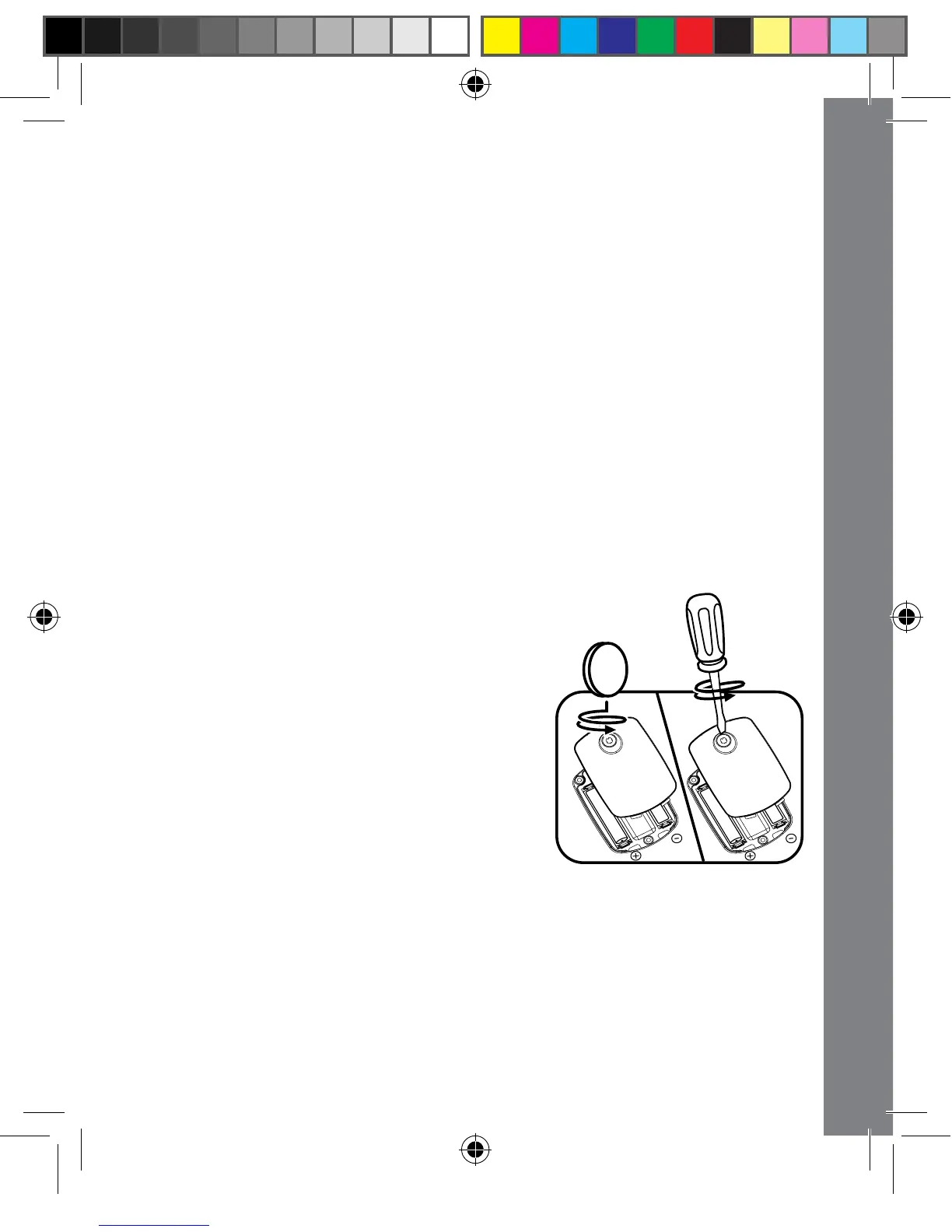
2. Locate the battery cover on the back of
the Tiny Touch Remote. Use a coin
or a screwdriver to loosen the screw.
3. Install 2 new AAA (LR03/AM-4)
batteries following the diagram inside
the battery box. (The use of new
alkaline batteries is recommended for
maximum performance.)
4. Replace the battery cover and tighten
the screw to secure.
BATTERY NOTICE
• Use new alkaline batteries for maximum performance.
• Use only batteries of the same or equivalent type as recommended.
• Do not mix different types of batteries: alkaline, standard (carbon-
zinc) or rechargeable (Ni-Cd, Ni-MH), or new and used batteries.



 To Next Page