6
Product Features/Activities
PRODUCT FEATURES
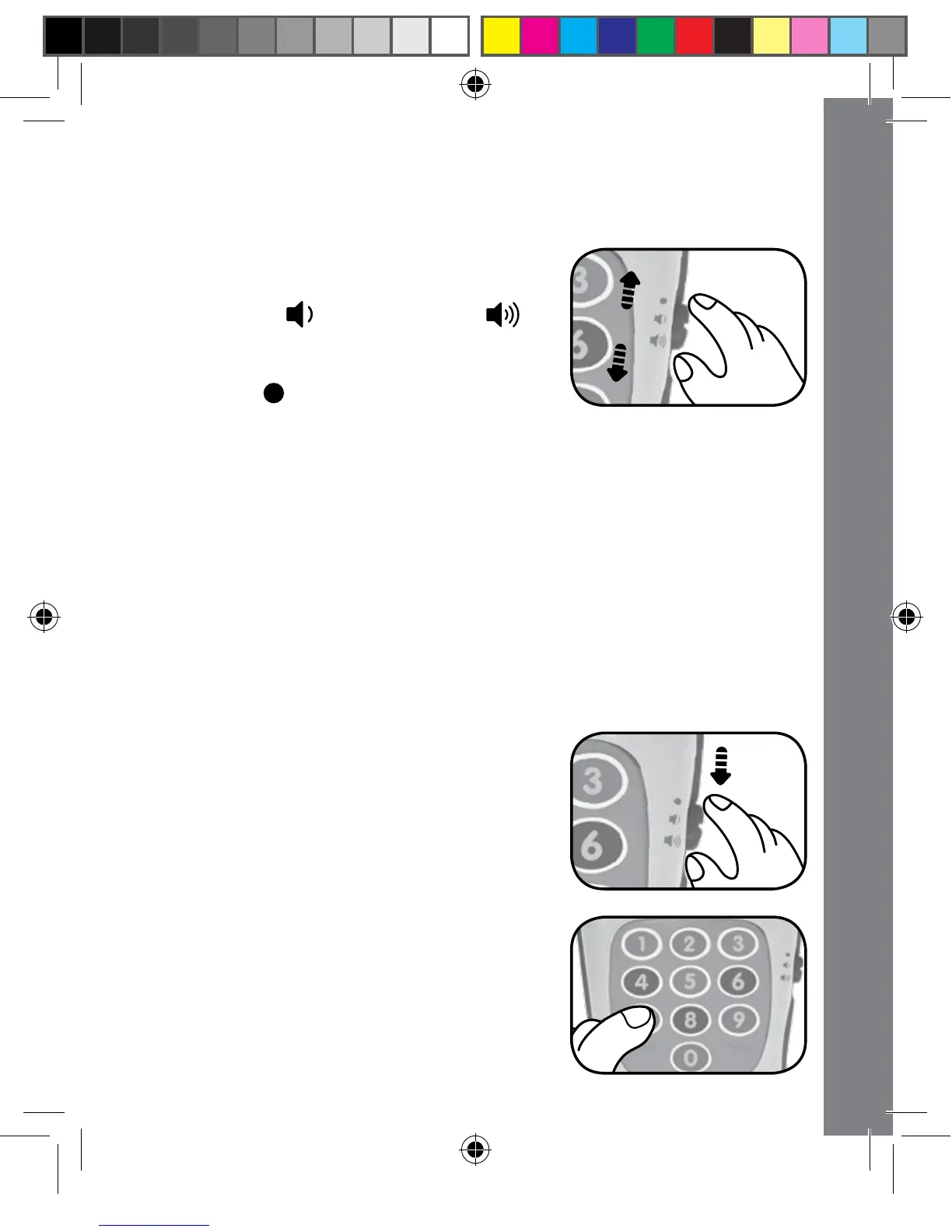
1. OFF/VOLUME CONTROL SWITCH
To turn the unit ON, slide the OFF/
VOLUME CONTROL SWITCH to the
low volume ( ) or high volume ( )
position. To turn the unit OFF, slide the
OFF/VOLUME CONTROL SWITCH to
the OFF ( ) position.
2. SMART REMOTE DESIGN
The Tiny Touch Remote resembles a modern day remote control.
Its different buttons simulate fun activities like changing channels,
watching different programs, using a DVD, and more.
3. AUTOMATIC SHUT-OFF
To preserve battery life, the VTech
®
Tiny Touch Remote will
automatically power-down after approximately 60 seconds without
input. The unit can be turned on again by pressing any button.
ACTIVITIES
1. Slide the OFF/VOLUME CONTROL
SWITCH to the low or high volume
position to turn the unit on. You will
hear fun sounds and an entertaining
sing-along song. The lights will flash
along with the sounds.
2. Press the NUMBER BUTTONS
to hear fun sounds, short tunes,
sing-along songs or talking phrases
about numbers, colours and pretend
channels.



 To Next Page