
 Need help?
Do you have a question about the VTech Toot-Toot Drivers Train Station and is the answer not in the manual?
Steps to attach the gate railing base and place the traffic light on the electronic station.
Steps to connect the incline to the tunnel SmartPoint™ track.
Guide for installing batteries in the train, including unscrewing the cover and replacing it.
Instructions for installing batteries in the station, noting the use of a coin or screwdriver.
Important notices about battery types, mixing, damage, polarity, and disposal.
Details on the ON/OFF switch, motor control button, and automatic shut-off feature of the train.
Steps for activating the train, playing sounds, and interacting with SmartPoints™ and other play sets.
Explains the volume control, automatic shut-off, and various activities like songs, colours, and the flip-up board.
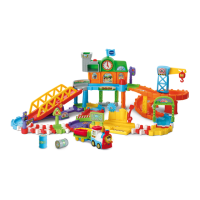
The VTech® Toot-Toot Drivers® Train Station is an interactive learning toy designed to spark a child's imagination and introduce early language skills. This playset allows children to act as a train conductor, combining 32 track pieces into various configurations to create a dynamic railway system. The set includes a motorized train and a cargo car that chug along the tracks, passing through a station, under a bridge, and through a tunnel. The train and other SmartPoint™ vehicles (sold separately) interact with 10 SmartPoint™ locations on the tracks, triggering greetings, fun sounds, short tunes, and sing-along songs, thereby enhancing the child's learning experience.
The core function of the Toot-Toot Drivers® Train Station is to provide an engaging and educational play environment centered around trains and railway activities. It aims to develop a child's understanding of cause and effect, encourage language development, and stimulate imagination through interactive play.
The motorized train is the central element, designed to move autonomously along the assembled tracks. It features an ON/OFF switch, a motor control button, and a light-up button. When the unit is turned ON, it plays train sounds, a song, and a phrase, with the light flashing in sync with the sounds. Pressing the motor control button activates the train's motor, causing it to move forward automatically while playing train sounds and flashing its light. The light-up button allows children to hear additional train sounds, songs, and phrases. Holding this button down can stop the motor, which then restarts upon release.
A key interactive feature is the SmartPoint™ technology. The train, when pushed over any of the 10 SmartPoint™ locations on the tracks (or SmartPoints on other Toot-Toot Drivers® playsets, sold separately), triggers specific greetings, fun sounds, short tunes, and sing-along songs. The light on the train flashes with these sounds, providing visual reinforcement. If there's no immediate response, pushing the train can trigger a random melody, and pushing it four times can integrate train sounds into the melody, encouraging musical exploration.
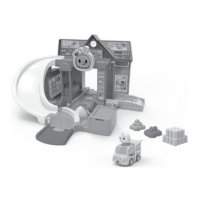
The electronic station component also offers interactive features. It includes an Off/Volume Control Switch to adjust the sound level (Low or High) or turn the unit OFF. The station has a light-up button that, when pressed, plays clock sounds, songs, phrases, and a short tune, with the light flashing. Additionally, it features color buttons that introduce colors and play phrases in English, German, Spanish, and French, along with fun sounds, phrases, and short tunes, again with flashing lights. Pushing the train through the station activates a flip-up board, triggering fun sounds and greetings in different languages, accompanied by flashing lights.
The playset is designed with an automatic shut-off feature to conserve battery life. If the train's motor is off and there's no input for approximately 30 seconds, the unit will power down. It can be reactivated by pressing the light-up screen button or by pushing the train quickly. Similarly, for the station, if there's no input for about 10 seconds, a sound effect and a reminder about the train coming will play. After another 10 seconds of no input, a short tune plays, and then the unit enters sleep mode, reactivated by any button press. When the train's motor is running, it will enter sleep mode after 5 minutes of no input, reactivated by pressing the light-up button, motor control button, or pushing the train quickly.
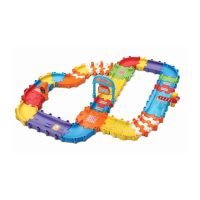
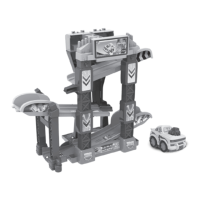
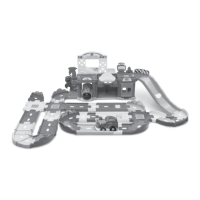
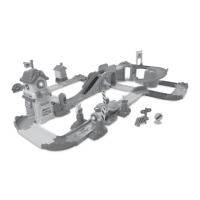
The Toot-Toot Drivers® Train Station is designed for easy assembly and versatile play. The 32 track pieces can be configured in various shapes, allowing children to customize their railway layout. Key components like the electronic station, tunnel, and warehouse are designed for secure connection to the tracks, indicated by an audible 'click' sound.
The playset includes several distinct areas that enhance play value:
The toy's interactive nature, with its variety of sounds, songs, and phrases, helps in developing early language skills and understanding different concepts like colors and basic greetings in multiple languages. The physical act of assembling tracks and guiding the train also aids in developing fine motor skills and problem-solving abilities.
Maintaining the Toot-Toot Drivers® Train Station is straightforward, focusing on cleanliness and proper battery care to ensure longevity and optimal performance.
Regarding battery installation, specific instructions are provided for both the train and the station. For the train, three new AAA (AM-4/LR03) alkaline batteries are recommended for maximum performance. For the station, two new AAA (AM-4/LR03) alkaline batteries are recommended. Detailed diagrams are provided for correct battery placement.
The manual emphasizes several important battery safety guidelines:
These guidelines are crucial for ensuring the safe and efficient operation of the toy, as well as for extending its lifespan. The product also adheres to environmental disposal guidelines for batteries and electronic waste, indicated by crossed-out wheelie bin symbols, encouraging responsible recycling.
 General
| Brand | VTech |
|---|---|
| Recommended Age | 1-5 Years |
| Batteries Required | Yes |
| Manufacturer recommended age | 12 months - 5 years |
| Manufacturer | VTech |
| Category | Toy |
| Age Range | 1 - 5 years |
| Features | Interactive |
| Compatibility | Toot-Toot Drivers Vehicles |


 To Next Page