8
GET TO KNOW YOUR PHONE
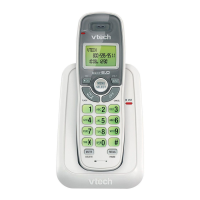
7. ALPHANUMERIC KEYPAD, * (STAR), # (HASH)
Press to insert a digit / character / * / #
* key in idle mode: Press and hold to enable or disable the keypad lock.
* key during a call (in Pulse mode): Press to switch to tone mode.
# key in idle mode: Press and hold to turn on / off the ringer.
0 key in predialing / number editing mode: Press and hold to insert a pause.
# key in Call List mode: Press to review caller’s number if applicable.
8. SPEAKERPHONE
During a call: Press to turn on / off the speakerphone.
In Idle mode / predialing mode / Redial list / Call List / Phonebook entry: Press to
make a call with speakerphone.
During ringing: Press to answer a call with speakerphone.
9. PHONEBOOK
In idle mode: Press to access the phonebook list.
10. FLASH
In idle / predialing mode: Press to insert a ash.
During a call: Press to dial a ash.
11. MICROPHONE
12. EARPIECE


 To Next Page