Step 4. Install Default Service List
Here you will be asked whether you want to install the default satellite lists. Press OK and
the following image appears:
Run First Time Installation
Please choose the default services lists you want to install.
Astra(19.2E)
Hotbird(13.0E)
no
no
Default services lists
Automatic Scan
Manual Scan
Tuner conguration
Service Searching
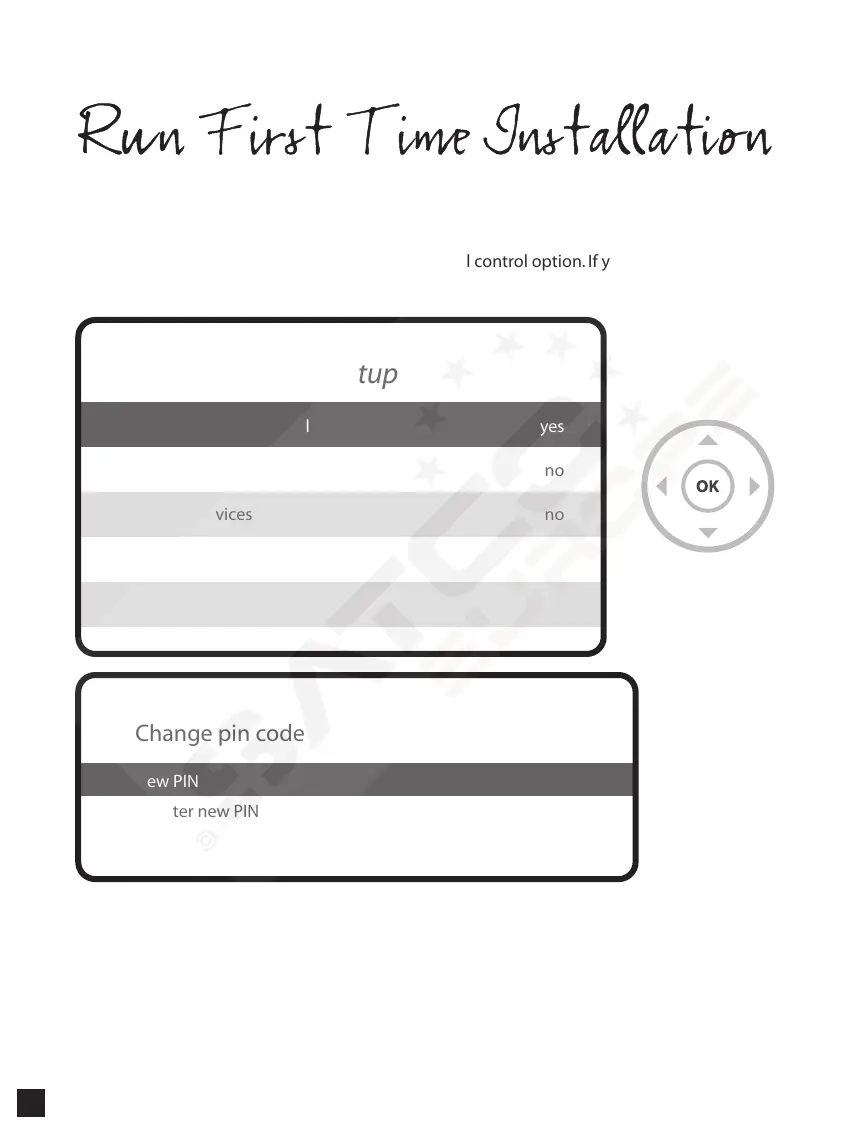
Step 5. Parental Control Option
Here you can choose whether to enable the parental control option. If you press OK,
you will be asked to enter PIN number
Enable parental control
Protect setup
Protect services
yes
no
no
Parental control setup
New PIN
Reenter new PIN
****
****
Change pin code
28


 To Next Page