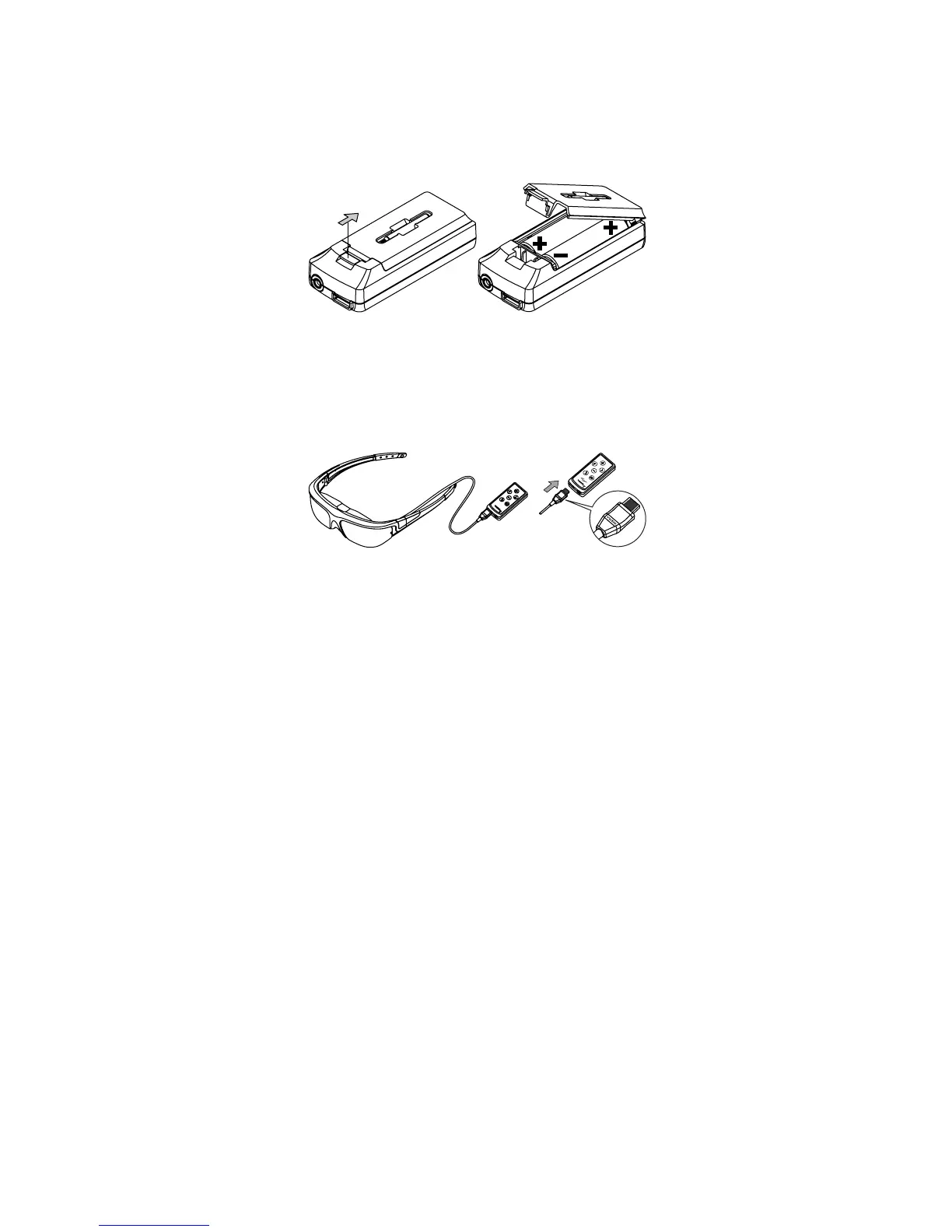
To install the batteries:
Open the back of the media player Control Box and insert the two AA
batteries.
o Pull the lid closure tab back and swing the door up to open the
battery compartment.
o Insert the batteries as indicated and then close the lid.
This Control Box provides two cable connectors. The rectangular port is for the cable
coming from the Wrap video eyewear and the round port is for the cable going to
your media player.
Plug the eyewear’s Multi-connect Cable from your eyewear into the
matching connector on the Battery/Control Box.
The black side of the connector tip and the “Vuzix” imprint face up toward the
buttons on the Control Box.
Connect a Vuzix compatible composite cable into the Control Box port
labeled “AV”.


 To Next Page