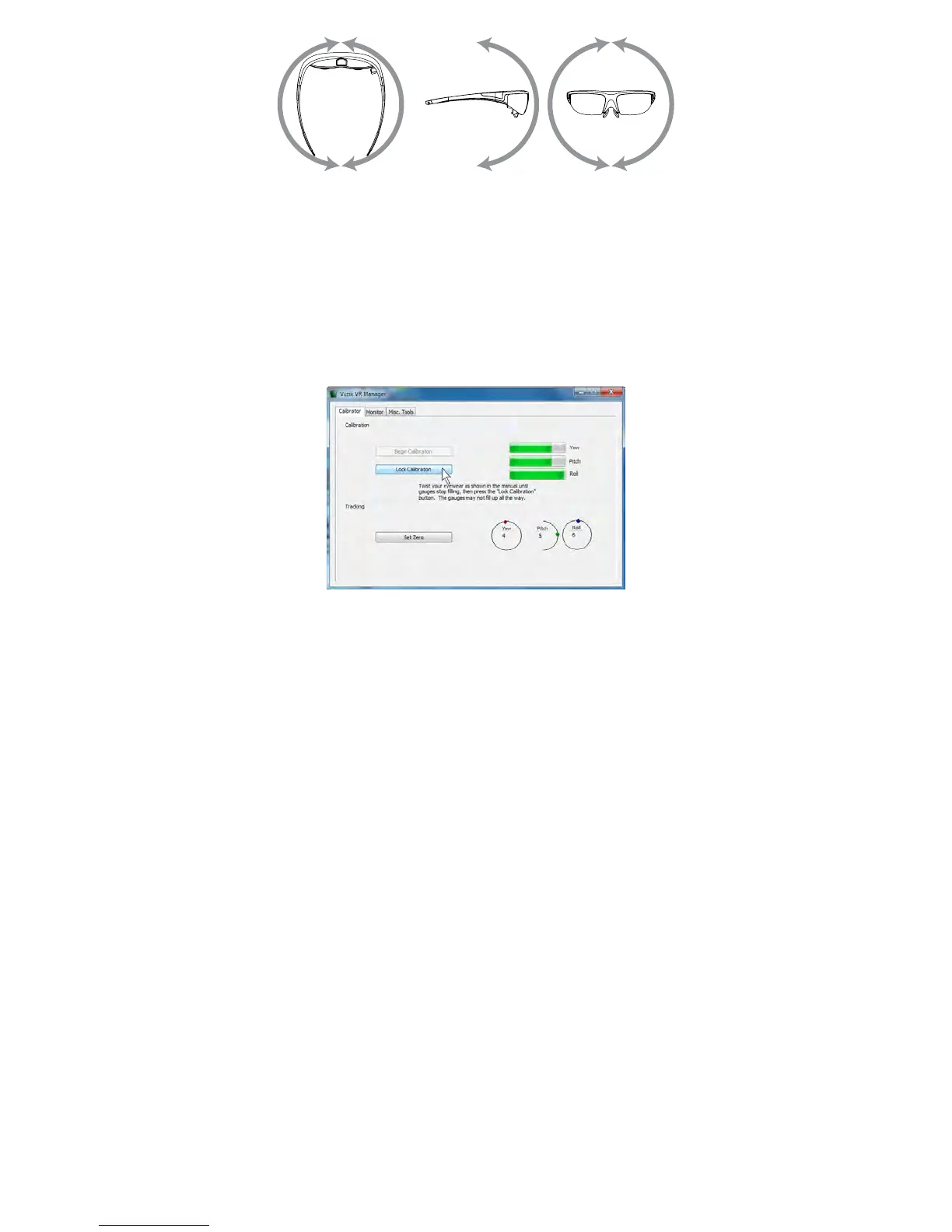
This process captures tracker data through its full range of movement for the yaw,
pitch and roll axis. The indicator bars will move while additional data is being
received but will stop when no new data is received, indicating its full range of
movement has been captured.
Note: The indicator bars will not fill completely – this is normal.
When the indicator bars stop moving, press the “Lock Calibration”
button.
Put on your eyewear or place them in the position in which they will be
used – upright, at eyelevel and facing your computer – and then press
the “Set Zero” button.


 To Next Page