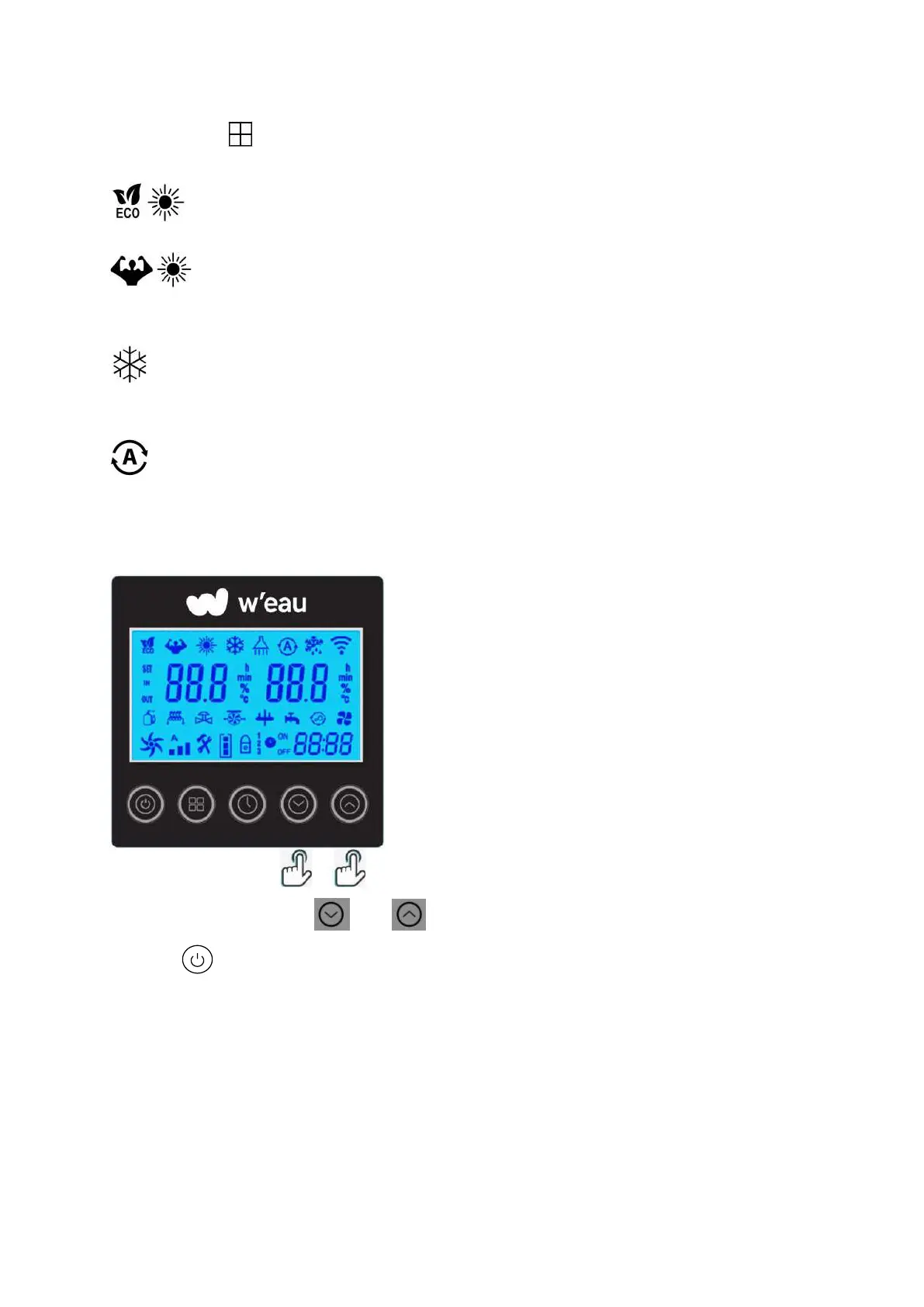
Hold the button for 3 seconds to change the below four operating modes each time:
:Mode ECO Inverter: Choose this heating mode that the heat pump operates silently.
:Mode Boost Inverter: Choose this heating mode that the heat pump operates
powerfully.
: Mode Cooling Inverter: Choose this cooling mode that the heat pump intelligently cools the
water of your pool.
: Mode Auto: The heat pump can switch Heating and Cooling function automatically
6.5 Set the required temp.
On the main interface, press and to adjust the desired water temp. of your pool, then
press the to save the setting.
When setting the water temp., the icon ‘SET’ will light on, the left one is Setting temp., the right one
is the Outlet water temp.
After finished the setting, the icon ‘SET’ will extinguish, the left one will become Inlet water temp.,
the right one Outlet water temp.


 To Next Page