
 Need help?
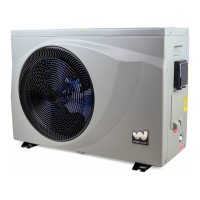
Do you have a question about the W'eau WFI-005 and is the answer not in the manual?
Diagram showing the heat pump's water circuit connections and placement.
Recommended clearances around the heat pump for proper operation and maintenance.
Optional kits for improving water flow adjustment in the piping system.
Technical dimensions and specifications for different heat pump models.
Detailed breakdown of the heat pump components with numbered parts.
Guidelines and specifications for connecting the power cable to the heat pump.
Information on how to manage condensation water generated during operation.
Schematic illustrating the electrical connections and components for models WFI-005/007/010.
Explanation of the buttons and their functions on the heat pump controller.
Key to understanding the icons and information shown on the controller display.
Procedure for turning the heat pump on/off and locking/unlocking the controller.
Guide to selecting different operating modes like ECO, Boost, Cooling, and Auto.
Instructions on how to adjust and set the desired water temperature for the pool.
Steps to set the internal clock and time for the heat pump controller.
How to configure ON/OFF timers for automatic operation of the heat pump.
Meaning of various icons displayed on the controller, such as defrosting and compressor status.
Procedure to manually initiate the defrosting function of the heat pump.
Steps to restore the heat pump to its original factory settings.
How to view and check various operating parameters like temperatures and pressures.
Guide to adjusting specific operational parameters and their default/scope values.
Important points to consider before and during the initial setup and testing phase.
Checklist of prerequisites for a successful system installation and adjustment.
Step-by-step guide to verify and fine-tune the heat pump system after installation.
Routine checks and maintenance procedures to ensure optimal performance and longevity.
Instructions for checking and refilling refrigerant, emphasizing professional assistance.
Methods for detecting leaks in the refrigeration system using safe gases.
Procedure to drain the heat exchanger to prevent freezing damage during off-season.
Step-by-step instructions for safely removing the compressor unit.
Importance of regular maintenance for ensuring the unit runs in good condition.
Steps for finding, downloading the 'Weau' app, and signing up for an account.
Process for adding the heat pump device to the mobile application.
Instructions for resetting the device and entering Wi-Fi credentials to connect.
Steps to verify successful connection and adding the device to the application.
Description of the main screen and basic controls within the mobile application.
Details on various features available in the app, such as mode selection and timer settings.
 General
| Brand | W'eau |
|---|---|
| Model | WFI-005 |
| Category | Swimming Pool Pump |
| Language | English |

 To Next Page