5-10 BA 1001/1501/2001 us – Edition 3.3 * * 12001b510.fm
Maintenance
5.4 Engine lubrication system
Engine damage and loss of output in case of insufficient engine oil level, or
wrong engine oil!
☞Have the oil changed by a Wacker Neuson service center
– see chapter 5.16 Maintenance plan 2001 (overview) on page 5-39
In order to avoid engine damage, add the engine oil slowly so it can go down
without entering the intake system.
Checking the oil level
Check the oil level once a day.
We recommend checking it before starting the engine. After stopping a warm
engine, wait at least 5 minutes before checking.
Checking the oil level
☞Proceed as follows:
• Park the machine on level ground
• Stop the engine!
• Let the engine cool down
• Open the engine cover
• Clean the area around the oil dipstick with a lint-free cloth
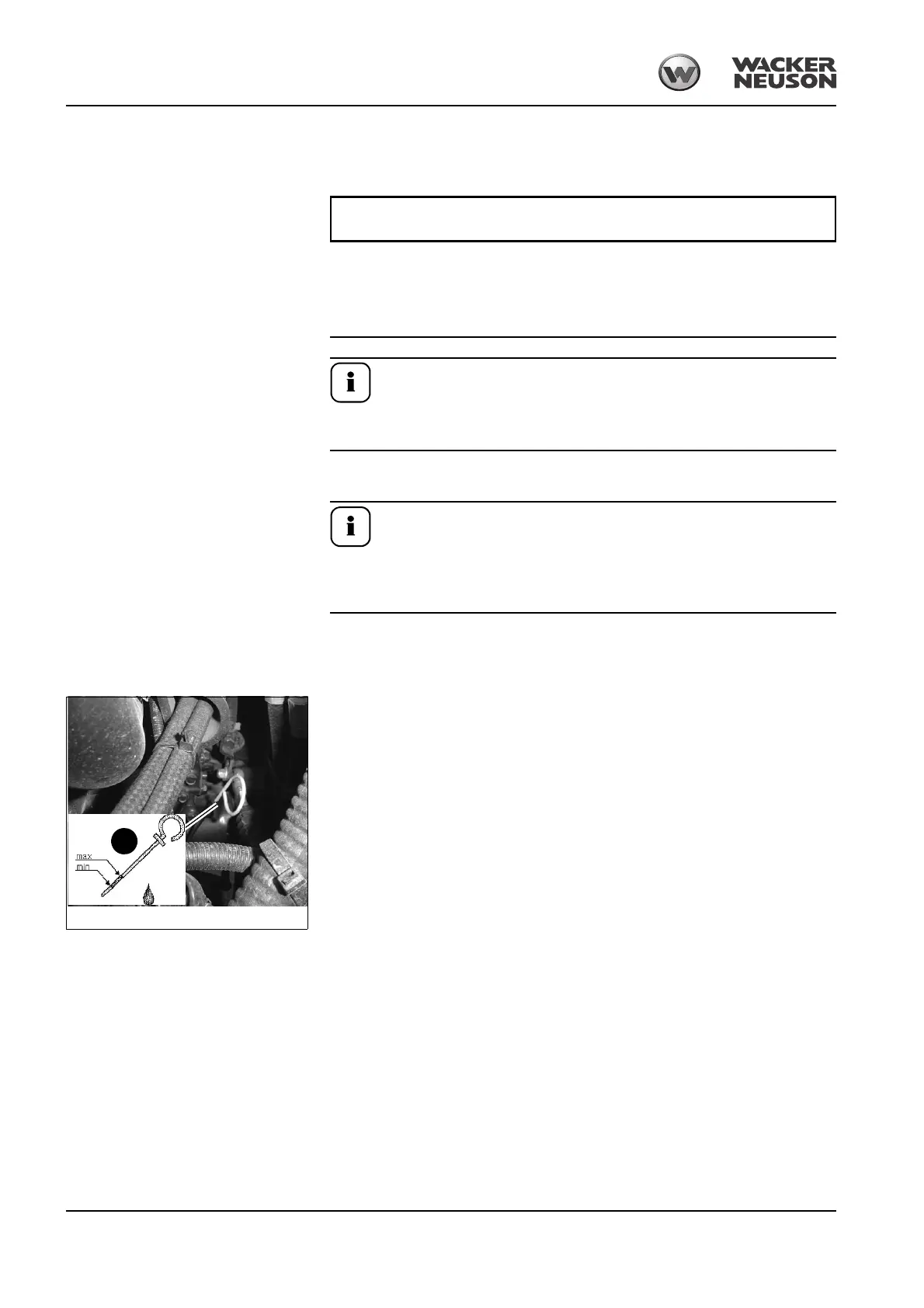
• Oil dipstick A:
☞Pull it out
☞Wipe it with a lint-free cloth
☞Push it back in as far as possible
☞Withdraw it and read off the oil level
☞However if necessary, add oil at the latest when the oil reaches the MIN mark on the oil
dipstick A
Fig. 81: Checking the oil level
A


 To Next Page