EasyManua.ls Logo

WACOM cintiq 13HD - User Manual

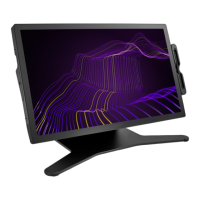
WACOM cintiq 13HD
87 pages
Print Icon
To Next Page IconTo Next Page
Loading...
User’s manual
Index
1
1
Contents Index
Cintiq 13HD (DTK-1300)
Your Cintiq: Parts and Accessories
Installation
Calibrating the Cintiq
Customizing your Cintiq
Pen features
Working with Display Toggle
Using the ExpressKeys, Rocker Ring and
Home Button
Working with multiple monitors
Troubleshooting
Technical support options
Contents

Table of Contents

Other manuals for WACOM cintiq 13HD

Question and Answer IconNeed help?

Do you have a question about the WACOM cintiq 13HD and is the answer not in the manual?

Summary

About the Manual

Your Cintiq: Parts and Accessories

Cintiq Location

Specifies where to place the Cintiq for optimal use and stability.

Adjusting the Display Incline

Details how to set the display's height and viewing angle for comfort.

Getting to Know Your Cintiq

Cintiq Features

Overview of the Cintiq's capabilities and components beyond basic setup.

Pen Features

Explains the functionalities and operation of the Wacom pen.

Setting Up Your Cintiq

System Requirements

Lists the minimum hardware and software specifications needed for the Cintiq.

Installation

Step-by-step guide for installing the Cintiq hardware and software.

Working with Your Cintiq

Setting Up Your Work Area

Guidance on organizing the workspace for comfortable and efficient use of the Cintiq.

Configuring Cintiq for Handedness

How to set up the Cintiq for optimal use by right-handed or left-handed users.

Customizing Your Cintiq

Manage Control Panel Settings

Instructions for accessing and managing the Wacom Tablet control panel settings.

Calibrating the Cintiq

Steps to align the screen cursor with the pen tip for optimal performance.

Troubleshooting

General Problems

Addresses common display issues such as no display, blinking LED, or cable errors.

Pen Tablet Troubleshooting

Solutions for problems related to the pen, pressure sensitivity, and clicking.

Summary

About the Manual

Your Cintiq: Parts and Accessories

Cintiq Location

Specifies where to place the Cintiq for optimal use and stability.

Adjusting the Display Incline

Details how to set the display's height and viewing angle for comfort.

Getting to Know Your Cintiq

Cintiq Features

Overview of the Cintiq's capabilities and components beyond basic setup.

Pen Features

Explains the functionalities and operation of the Wacom pen.

Setting Up Your Cintiq

System Requirements

Lists the minimum hardware and software specifications needed for the Cintiq.

Installation

Step-by-step guide for installing the Cintiq hardware and software.

Working with Your Cintiq

Setting Up Your Work Area

Guidance on organizing the workspace for comfortable and efficient use of the Cintiq.

Configuring Cintiq for Handedness

How to set up the Cintiq for optimal use by right-handed or left-handed users.

Customizing Your Cintiq

Manage Control Panel Settings

Instructions for accessing and managing the Wacom Tablet control panel settings.

Calibrating the Cintiq

Steps to align the screen cursor with the pen tip for optimal performance.

Troubleshooting

General Problems

Addresses common display issues such as no display, blinking LED, or cable errors.

Pen Tablet Troubleshooting

Solutions for problems related to the pen, pressure sensitivity, and clicking.

WACOM cintiq 13HD Specifications

General IconGeneral
Display Size13.3 inches
TechnologyLCD
Color Gamut72% NTSC
Viewing Angle178 degrees
Response Rate25 ms
Pen TypePro Pen
Pen Pressure Levels2048
Tilt Range60 degrees
Touch StripYes
Input VideoHDMI
Active Area11.6 x 6.5 inches
InterfaceUSB
Resolution1920 x 1080 (Full HD)

Related product manuals