7
SPEED PADDLE
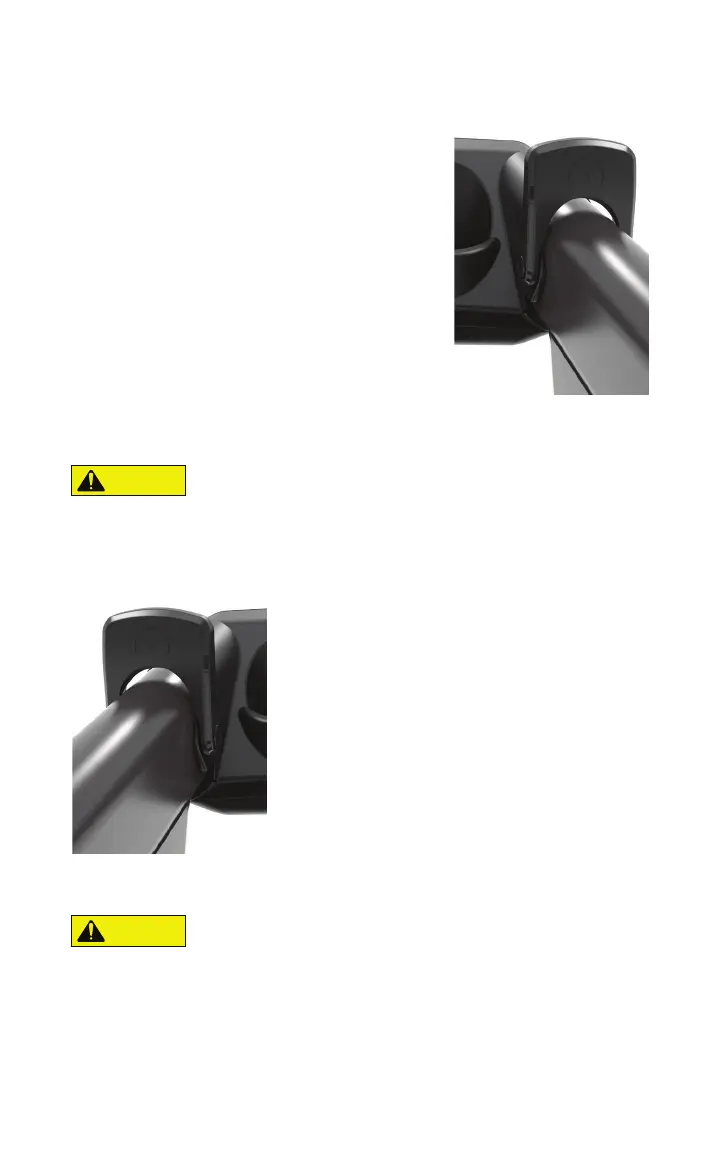
The Speed Paddle (5) [right] has 3 levels of control.
• Push and release the right paddle forward toward
the front of the KICKR RUN to the first stop for a
smaller increase in pace.
• Push and release the right paddle forward to the
second stop for a larger increase in pace.
• Push and release the right paddle forward to the
second stop and hold to fine tune the 1 second pace.
• Pull and release the right paddle backward toward
the rear of the KICKR RUN to the first stop for a
smaller decrease in pace
• Pull and release the right paddle backward to the
second stop for a larger decrease in pace
• Pull and release the right paddle backward to the second stop and hold to fine tune
the 1 second pace.
• Always use caution to not accidentally bump the paddles while running.
GRADE PADDLE
The Grade Paddle (6) [left] has 2 levels of control. Grade range is -3% to +15%.
• Pull the left paddle backward toward the rear
of the KICKR RUN to the first stop for a 0.5% increase
in grade.
• Pull the left paddle backward toward the rear
of the KICKR RUN to the second stop for a 2.0%
increase in grade.
• Push the left paddle forward toward the front
of the KICKR RUN to the first stop for a 0.5%
decrease in grade.
• Push the left paddle forward toward the front
of the KICKR RUN to the second stop for a 2.0%
decrease in grade.
Note: If the KICKR RUN is connected to an application then you may see the gradient
automatically controlled by that application.
• Always use caution to not accidentally bump the paddles while running.
CAUTION
CAUTION


 To Next Page