8
RUNFREE MODE AND BUTTON
RunFree is an innovative technology that allows you to run hands free on a treadmill
like you do outdoors creating a fun, immersive indoor running experience. RunFree
Mode can be activated by enabling the RunFree Mode Button (8) on the console.
Notice: In RunFree Mode, when you speed up, you move closer to the Time of Flight
sensor (4) which automatically increases the speed of the belt to correspond with your
pace. The opposite occurs when you slow down. As you move farther away from the Time
of Flight sensor, the KICKR RUN responds by slowing the belt.
RunFree Mode offers a unique experience by allowing you to control the speed of
the treadmill just by changing your pace. This may take some mental adjustment to
“relearn” how to run on a treadmill in RunFree Mode.
Use caution when running on KICKR RUN in RunFree Mode as the speed will
automatically adjust to your changes in pace.
CAUTION
8
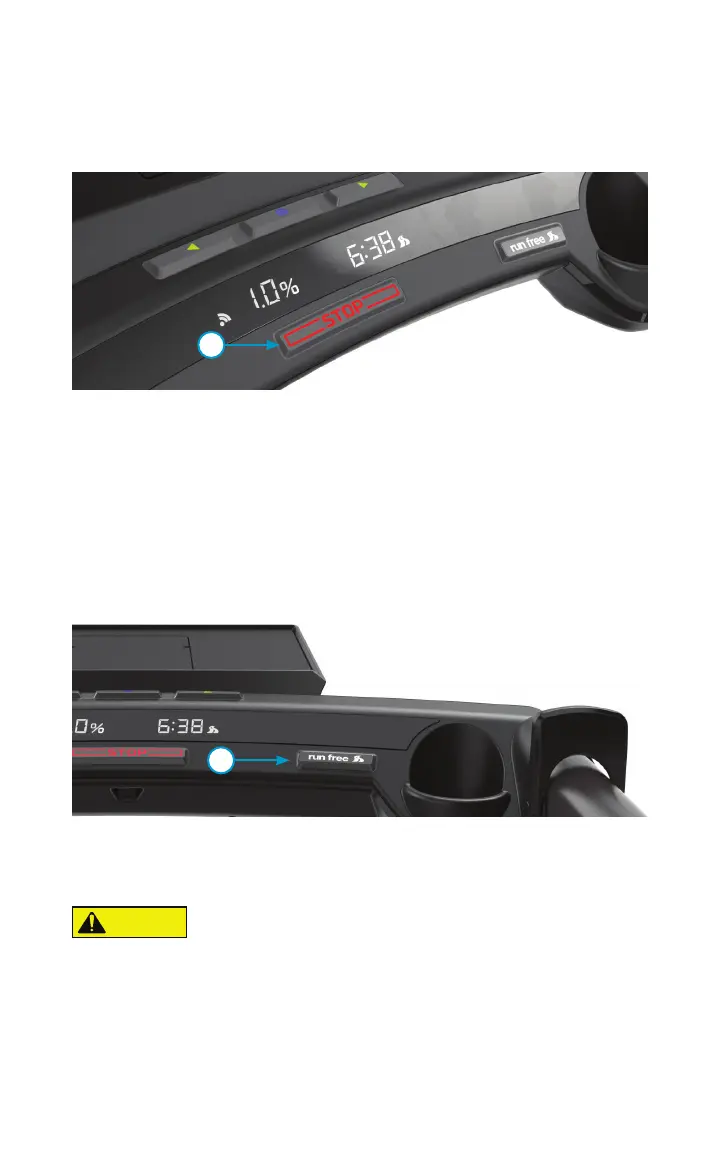
STOP BUTTON
The Stop Button (7) will bring will bring the KICKR RUN to a complete stop over several
seconds. Use this button when you are ready to stop using the treadmill or want to
come to a complete stop while running on the treadmill.
7


 To Next Page