English - 12 -
Using the Channel List
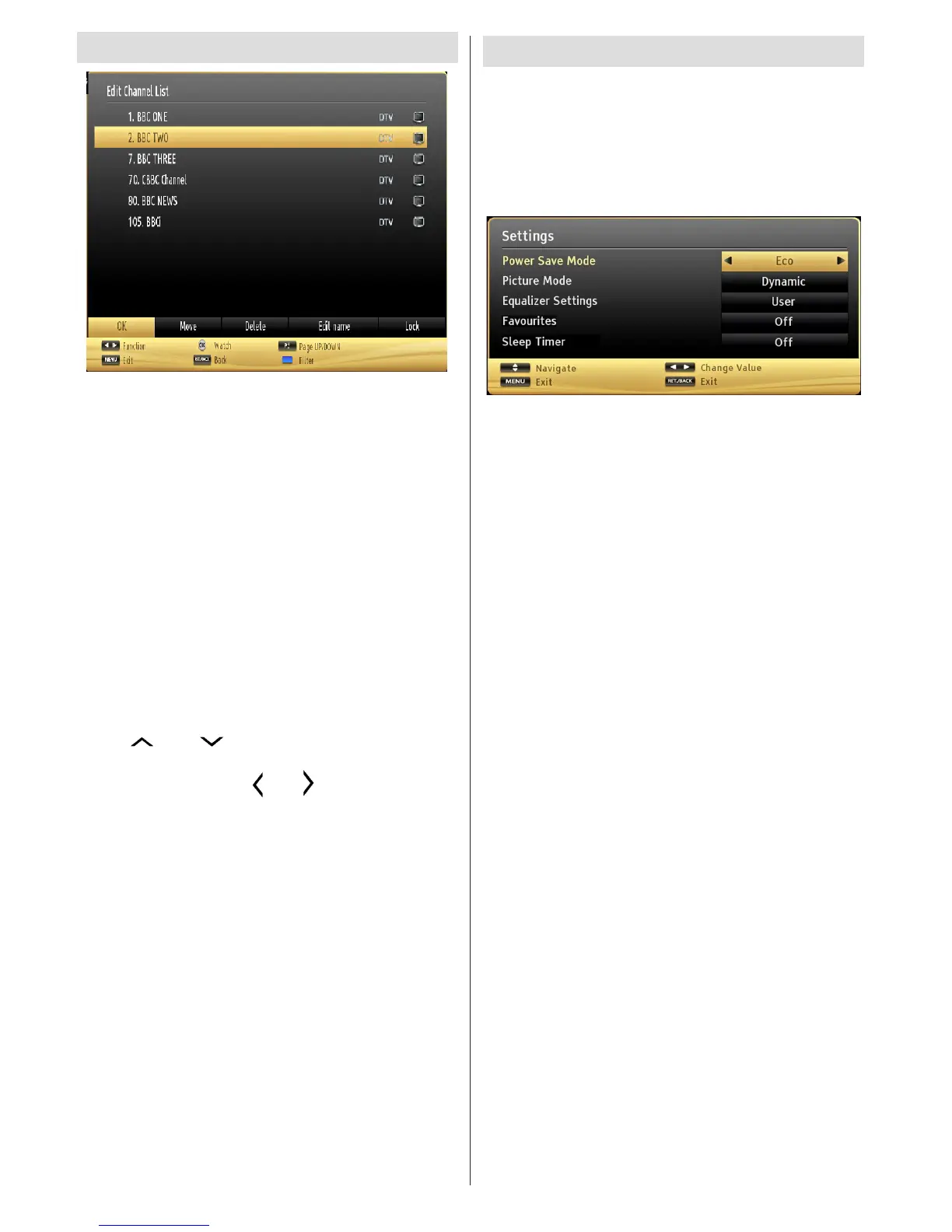
The TV sorts all stored stations in the Channel List.
You can edit this channel list, set favourites or set
active stations to be listed by using the Channel List
options. Press MENU button to view main menu.
Select Channel List item by using Left or Right button.
Press OK to view menu contents. Select Edit Channel
List to manage all stored channels. Use Up or Down
and OK buttons to select Edit Channel List. Press
Up or Down button to select the channel that will be
processed. Press Left or Right button to select a
function on Channel List menu. Use P+/P- buttons to
move page up or down. Press MENU button to exit.
Sorting Channel List
You can select broadcasts to be listed in the
channel list. To display specic types of broadcast,
you should use Active channel list setting. Select
Active channel list from the Channel list menu by
using “ ” or “ ” button. Press OK button to
continue. You can select a network type option
from the list by using “
” or “ ” and OK buttons.
Quick Menu
Quick Settings menu allows you to access some
options quickly. This menu includes Power Save
Mode, Picture Mode, Equalizer Settings,
Favourites and Sleep Timer options. Press Q.MENU
button on the remote control to view quick menu.
See the following chapters for the details of the listed
features.




 To Next Page