English - 36 -
13. A shortcut called Nero MediaHome 4 is now
placed on your desktop
Congratulations! You successfully installed Nero
MediaHome 4 on your PC.
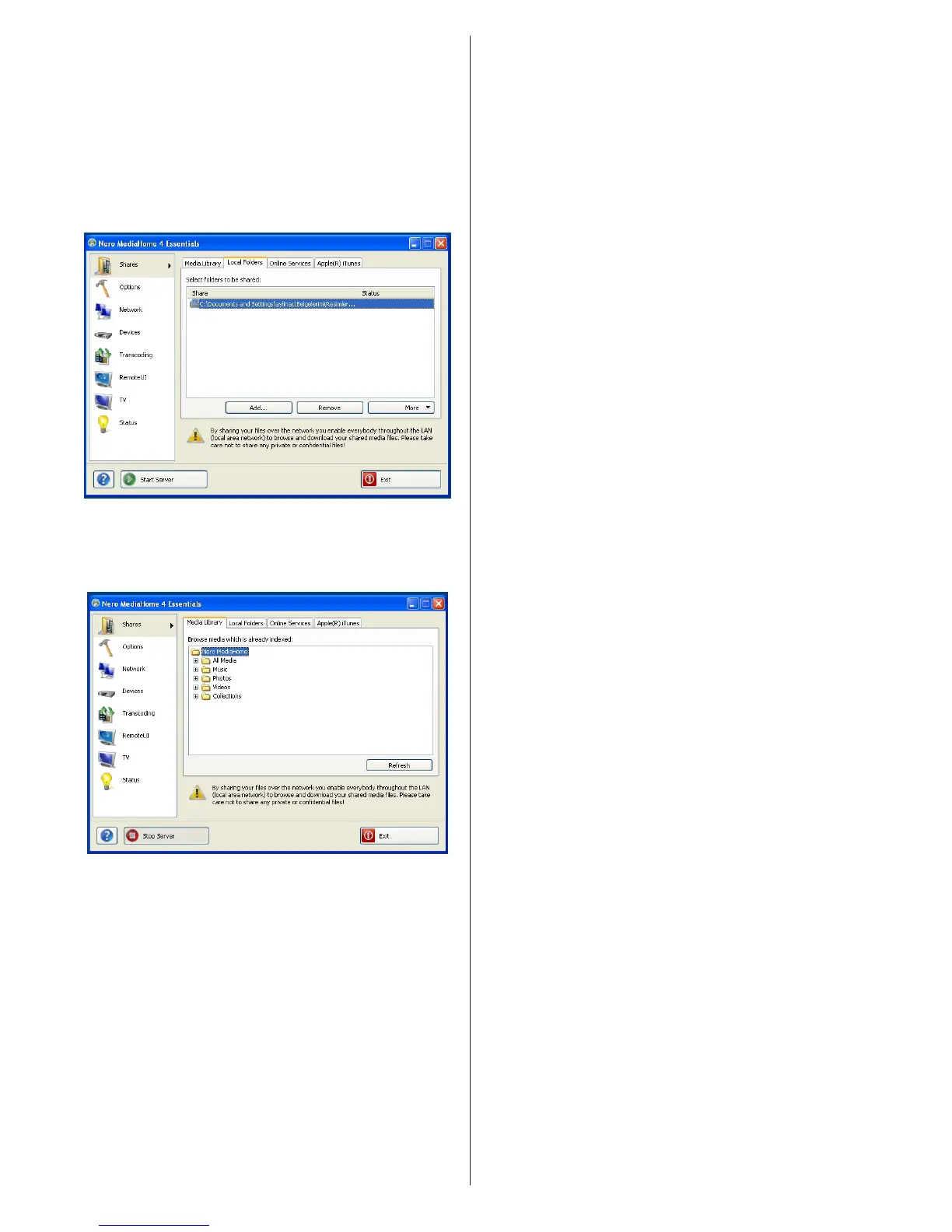
14. Run Nero MediaHome by pressing shortcut icon.
• Click ADD icon from LOCAL FOLDERS to add the
folder you want to share with the network. Select
the folder that you want to share and click START
SERVER.
15. You can display all media types from the library.
Click Refresh icon to refresh. Click STOP
SERVER icon to stop server.



 To Next Page