14
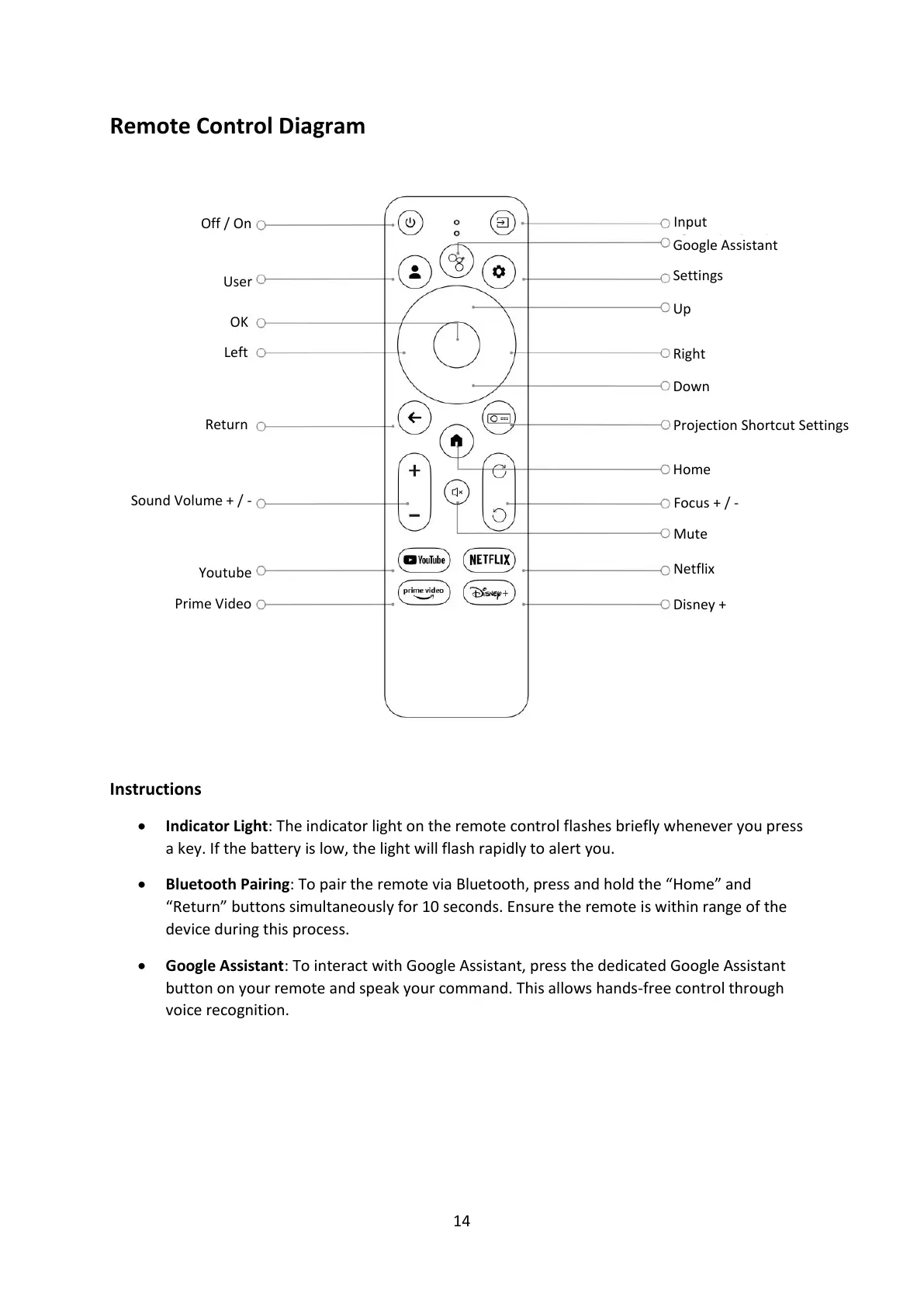
Remote Control Diagram
Instructions
• Indicator Light: The indicator light on the remote control flashes briefly whenever you press
a key. If the battery is low, the light will flash rapidly to alert you.
• Bluetooth Pairing: To pair the remote via Bluetooth, press and hold the “Home” and
“Return” buttons simultaneously for 10 seconds. Ensure the remote is within range of the
device during this process.
• Google Assistant: To interact with Google Assistant, press the dedicated Google Assistant
button on your remote and speak your command. This allows hands-free control through
voice recognition.
Projection Shortcut Settings


 To Next Page