20
Cleaning Method
Important: Before cleaning, ensure the power plug is unplugged to avoid electrical hazards.
General Precautions:
• Avoid using pesticides or volatile chemicals on the projector or lens.
• Do not leave rubber or vinyl products in contact with the projector for extended periods, as
this may damage the coating and cause it to peel.
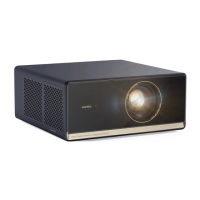
Cleaning the Projector
• Surface Cleaning
• Use a soft, dry cotton cloth to gently wipe the projector’s surface.
• For stubborn dirt, dampen a soft cloth with diluted neutral detergent, then gently
clean the surface. Dry immediately with a clean, dry cloth.
• Avoid using chemical fiber cloths, which may cause scratches.
• Avoid Harmful Chemicals
• Do not use thinners, benzene, or other strong solvents, as these may degrade the
quality of the projector or cause the coating to peel.
• Vent Cleaning
• To clean the air vents, use a small brush attached to the front of a vacuum cleaner to
carefully remove dust and dirt.
• Do not use a vacuum cleaner without a brush attachment, and avoid placing the
vacuum directly on the vents to prevent damage.
• Scratch Prevention
• Avoid scraping the projector with nails or other hard objects to prevent scratches.


 To Next Page