Page 8
camping a nd outdoors
OPERATING INSTRUCTIONS
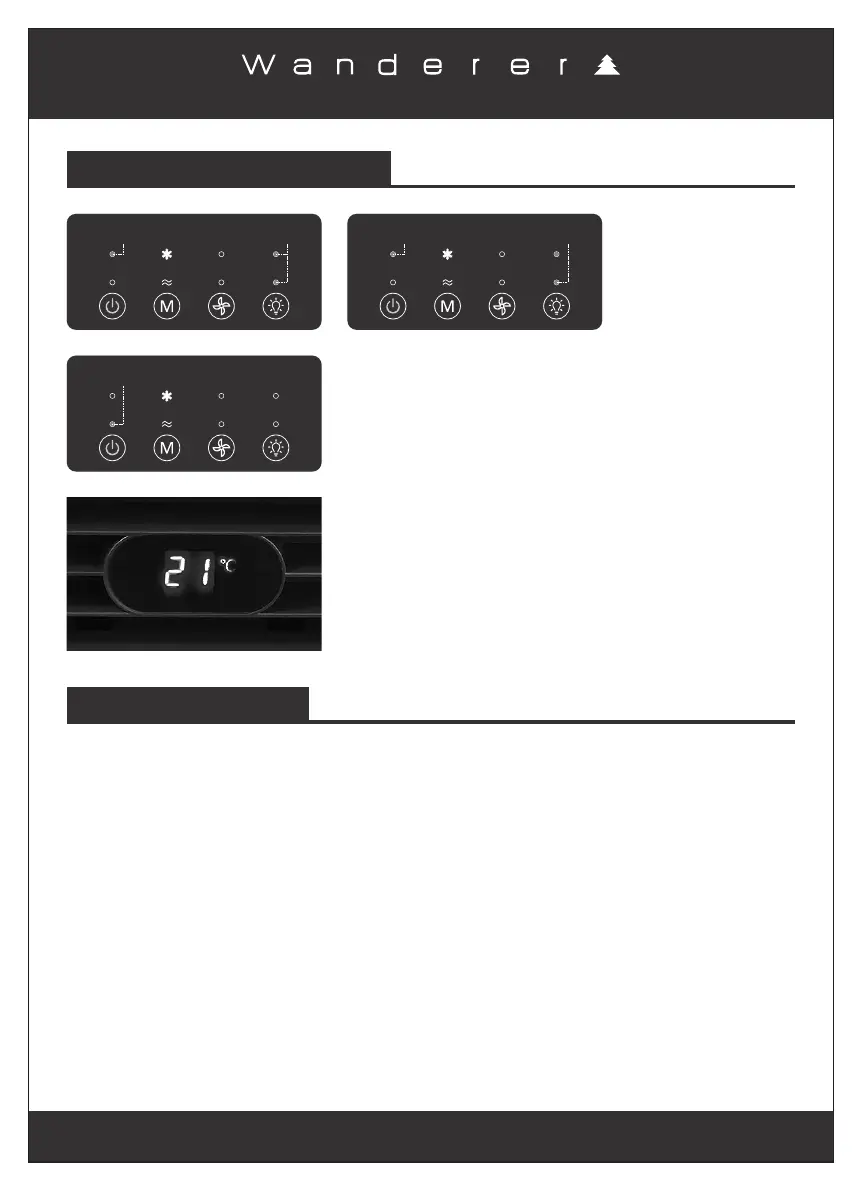
Blue
Indicators
(High Light mode)
Blue
Indicator
(Power ON)
Red
Indicator
(STANDBY mode)
The corresponding blue indicators will light up on the digital
screen as shown.
Press the Lighting Selection Button to cycle through the
High, Low lights and OFF modes.
Blue
Indicator
(Low Light mode)
Blue
Indicator
(Power ON)
IMPORTANT NOTES
When the ambient temperature is lower than 15°C:
Three Minutes Protection
1. The Cooling mode function will stop (the compressor stops working) and automatically enter
to the Fan mode.1.
This Portable Air Conditioner comes with a “Three Minutes Protection”. This function will
activate when the unit is turned ON and OFF rapidly. If the Portable Air Conditioner is turned ON
and OFF rapidly, the compressor will delay restarting for three minutes before switching from Fan
mode to Cooling mode, even if Cooling mode is selected. This is to protect the compressor from
potential damage.
2. The blue indicator light will automatically switch to the Fan mode.
3. In this case, the air conditioner can run in the Fan mode only even if Cooling mode is selected
again (Cooling mode will operate for 30 seconds only and automatically enter to the Fan mode3.
again).3.
4. When the ambient temperature rises above 15°C, you can select the Cooling mode again by
pressing the Cooling and Fan Selection Button, the air conditioner will work normally.4.
Once the air conditioner is connected to one of the power
supplies, the LCD display screen at the front of the air
conditioner will show the Ambient Temperature in °C.


 To Next Page
 Loading...