http://www.wansview.com
9
Notice:When the device is connected both WIFI and wired, it will firstly connect to the
wired network, if it can’t be connected, then it will changed to connect to the wifi. The IP
address and port is the same, either wireless or wired network.
2.3 Operation of connecting to WAN
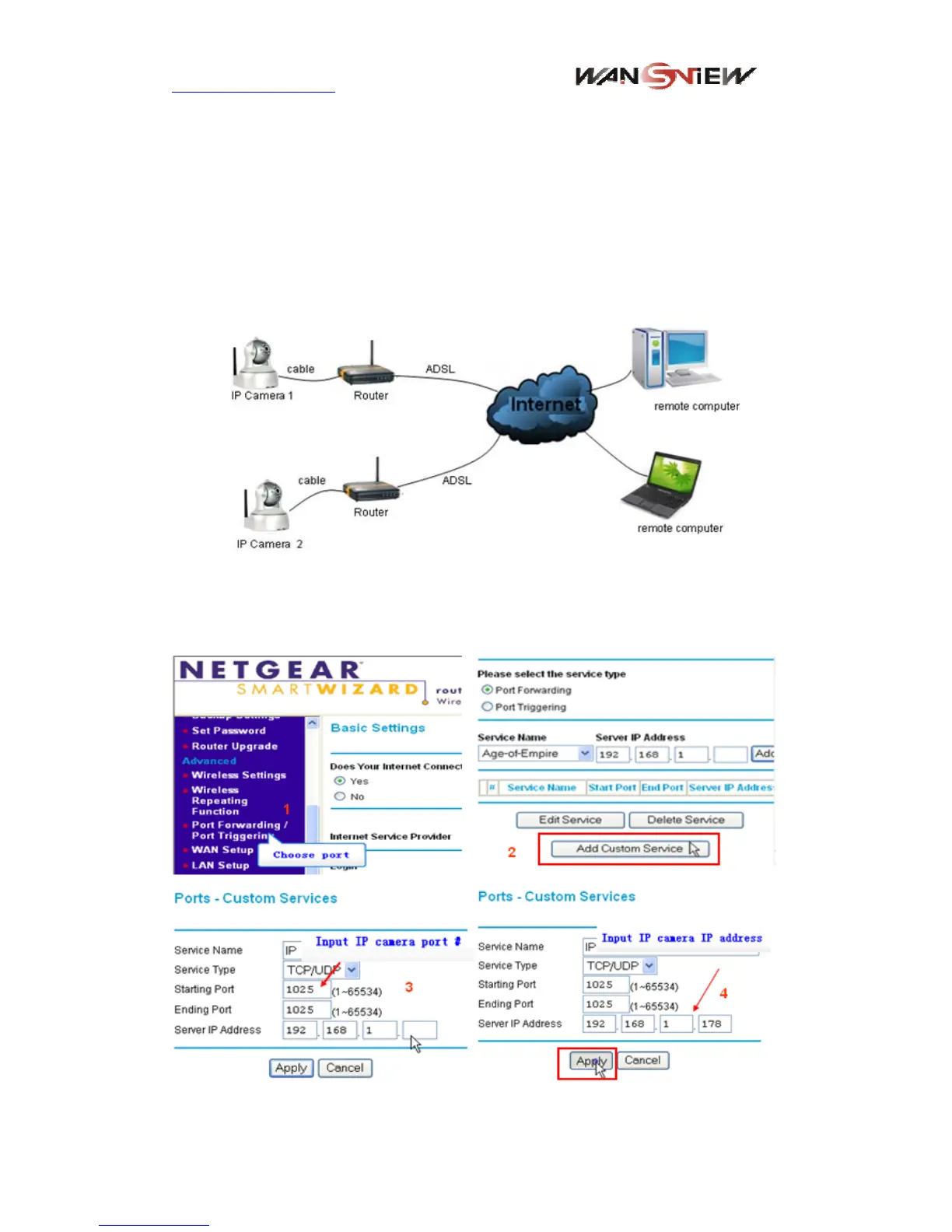
You should connect the LAN network first and do the port forwarding, connect as figure 6.
Figure 6
If visit IP Camera from WAN, you must do port forwarding on the router. Example of
figure 7.
Figure 7 Router setting


 To Next Page