http://www.wansview.com
10
Operation Steps:
1) After login the interface of the router,choose “Port Forwarding”
2) Choose “Add custom Service”
3) Input IP camera port.
4) Input IP address of IP camera,click “Apply”。(the http port and ip address should be
the same as figure 2 which set by you own)
After finishing the port forwarding, you can use WAN IP address of router and http port of
camera to visit the camera by remote computer as figure 6.
Notice: because the routers are different, so the interface and setting method of router
are also different, how to do the port forwarding for various routers, please refer to the
user manual of your router or consult with router manufacturer.
3 Operation of IE browser
3.1 View video
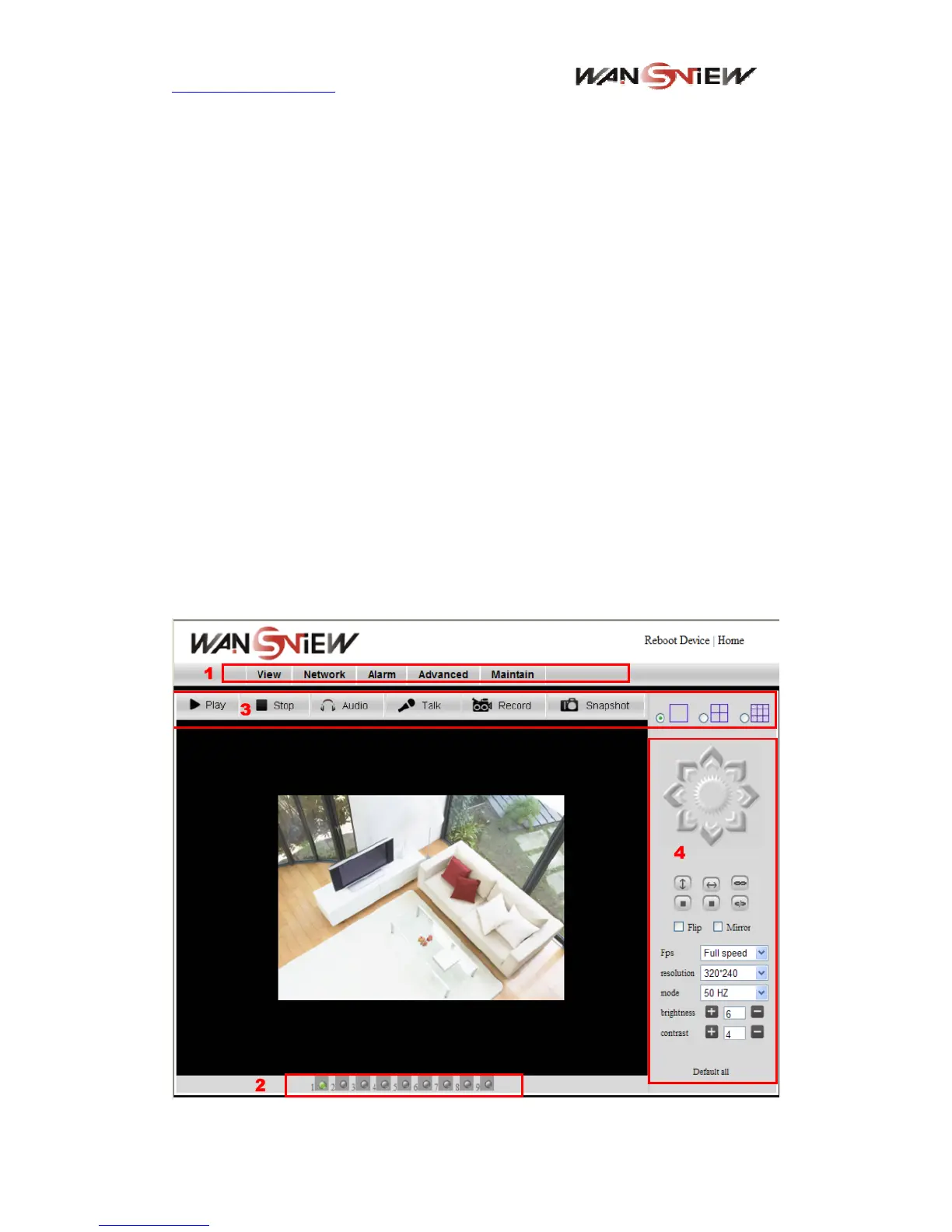
After installing the plug-ins, click “Mode 1 to view” link in Figure 3 to view the video (video
as Figure 8).
Figure 8 View video


 To Next Page