www.wansview.com
11
Wi-Fi Set Up
• Verify your smart device (iOS or Android) is connected with 2.4G wifi.
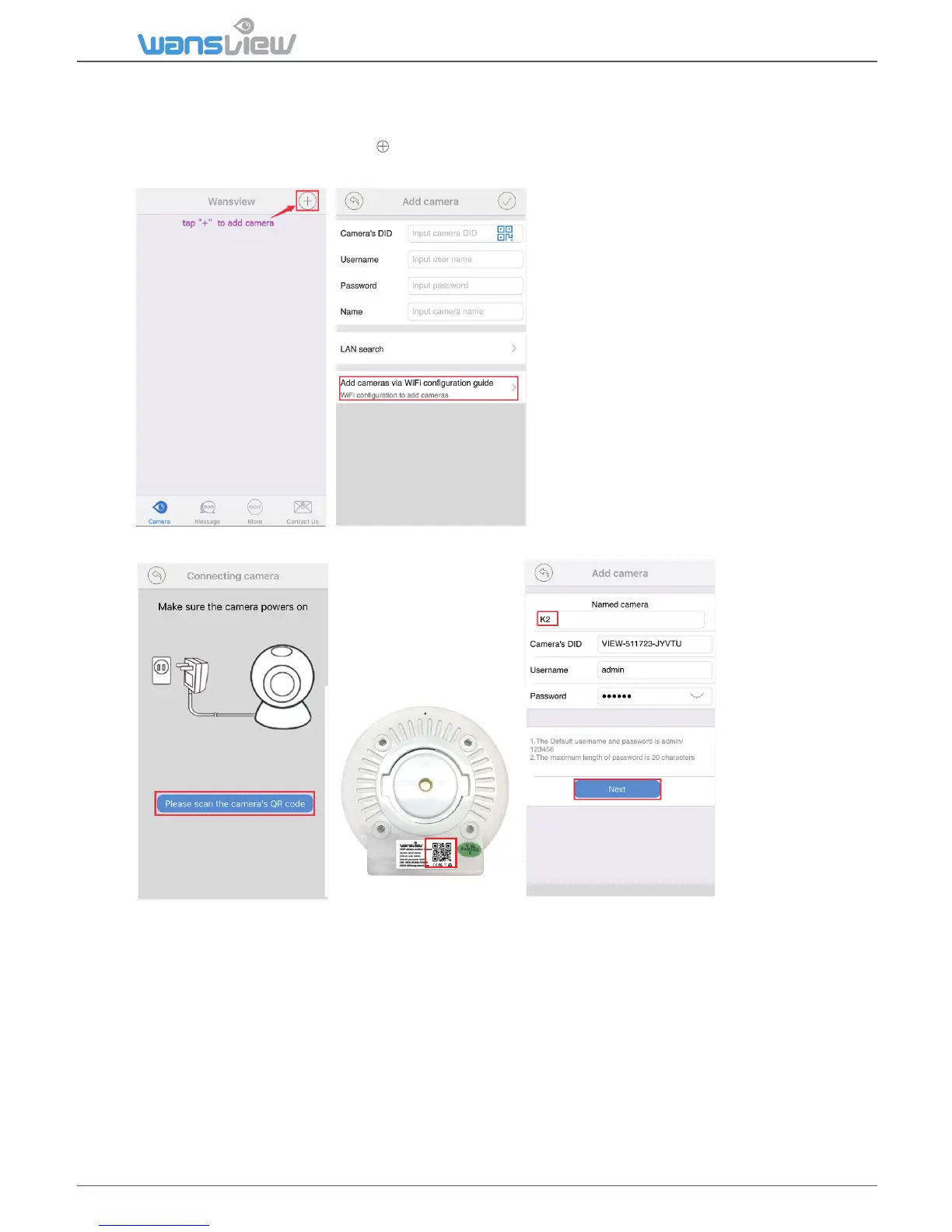
• Launch the Wansview app, Click to access Add Camera page and select “Add cameras via WiFi
Configuraon Guide”
• Scan the QR code on the back of the camera, and name the camera. Then “Next”
• Input correct WiFi password and “Next”, then the camera will trying to connect, if connected,
“Add success” appears, and it will go back to the Camera page, and shows “online”. If it fails to
connect, please tap “try again” and repeat the process for 2-4 mes. The whole process should be
finished within 5 minutes of power on.
Otherwise, the camera should be unplugged and powered back.



 To Next Page