Wansview Cloud APP User Manual
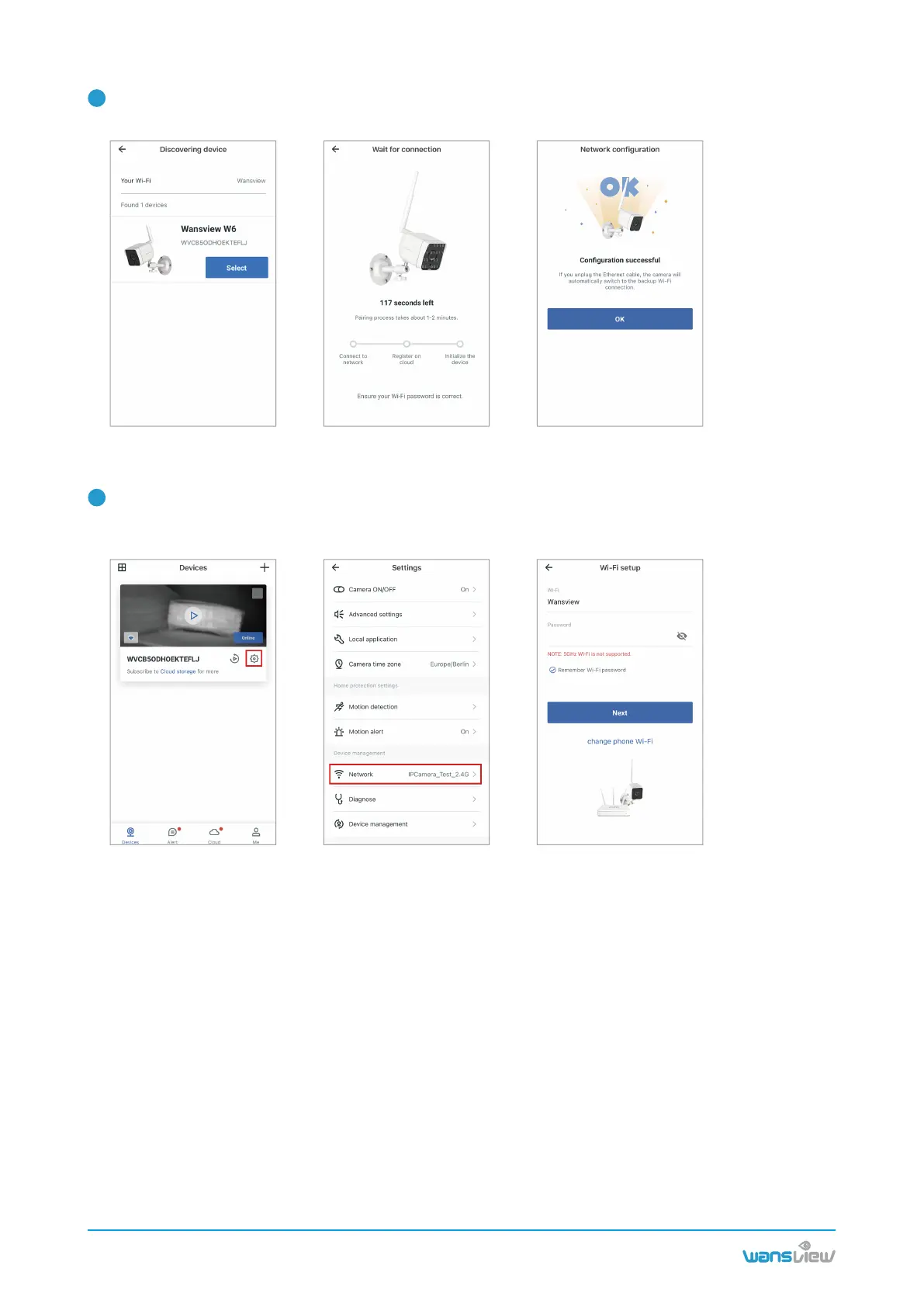
Then the W6 camera will be automatically recognized ans searched. Please tap 【Select】. If the
connection is successful, the green light will be solid. You can rename the camera.
3
After setting up Ethernet cable connecton successfully, if you want to switch it to WIFI connection. You
can go to Devices page--tap【Setting】--tap 【Network】--enter the Wi-Fi password. After Wi-Fi connec-
tion is successful, you can unplug the Ethernet cable.
4
www.wansview.com
09



 To Next Page