Wansview Cloud APP User Manual
www.wansview.com
08
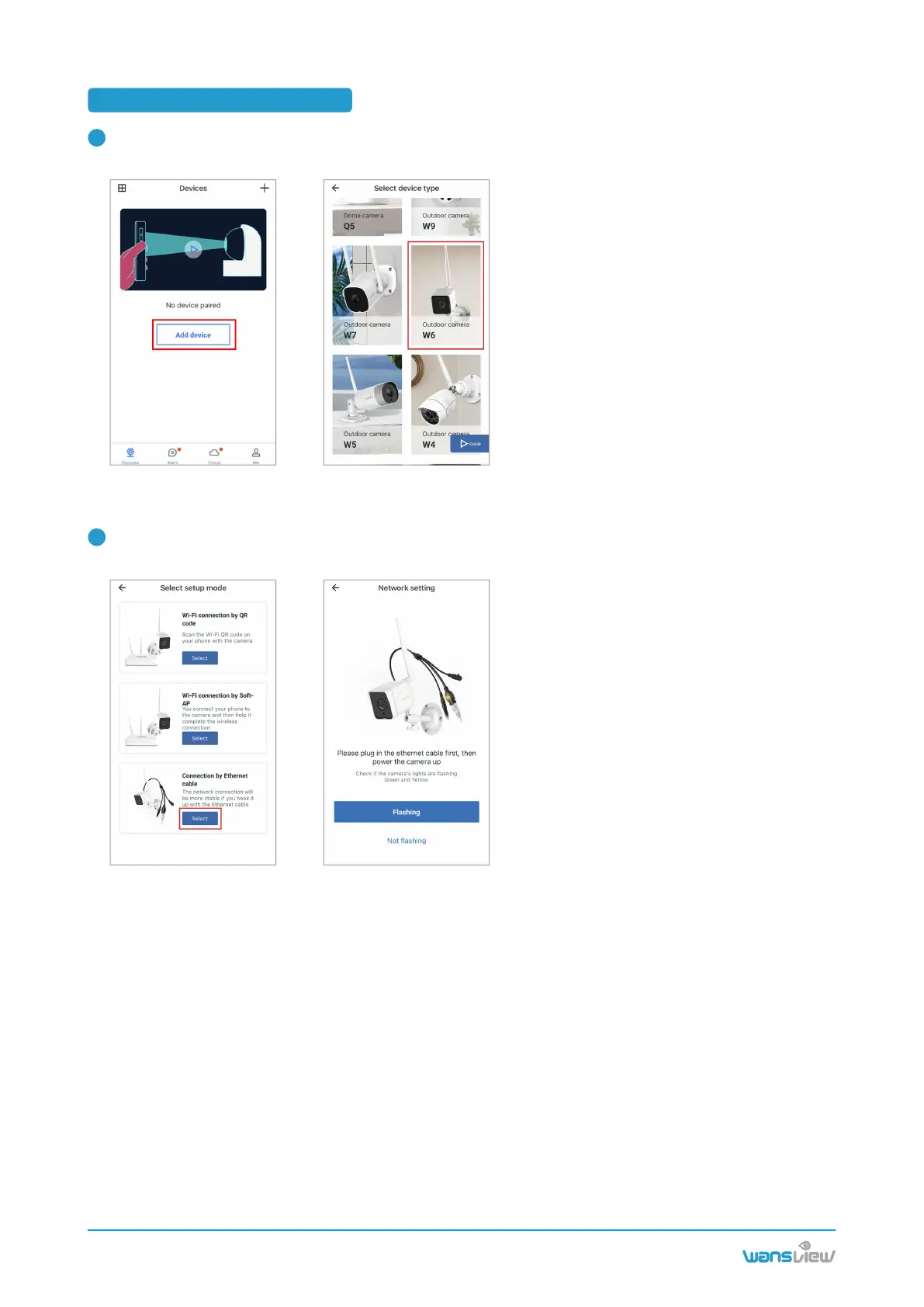
Use the Ethernet cord to connect the camera with router firstly, then plug the camera in via power cable.
Connect your phone to 2.4Ghz WIFI. Run the Wansview Cloud app , tap + , choose W6 model.
1
Use the Ethernet cord to connect the camera with router firstly, then plug the camera in via power cable.
Connect your phone to 2.4Ghz WIFI. Run the Wansview Cloud app , tap + , choose W6 model.
2
3.3 Eth connection by cable



 To Next Page