Wansview Cloud APP User Manual
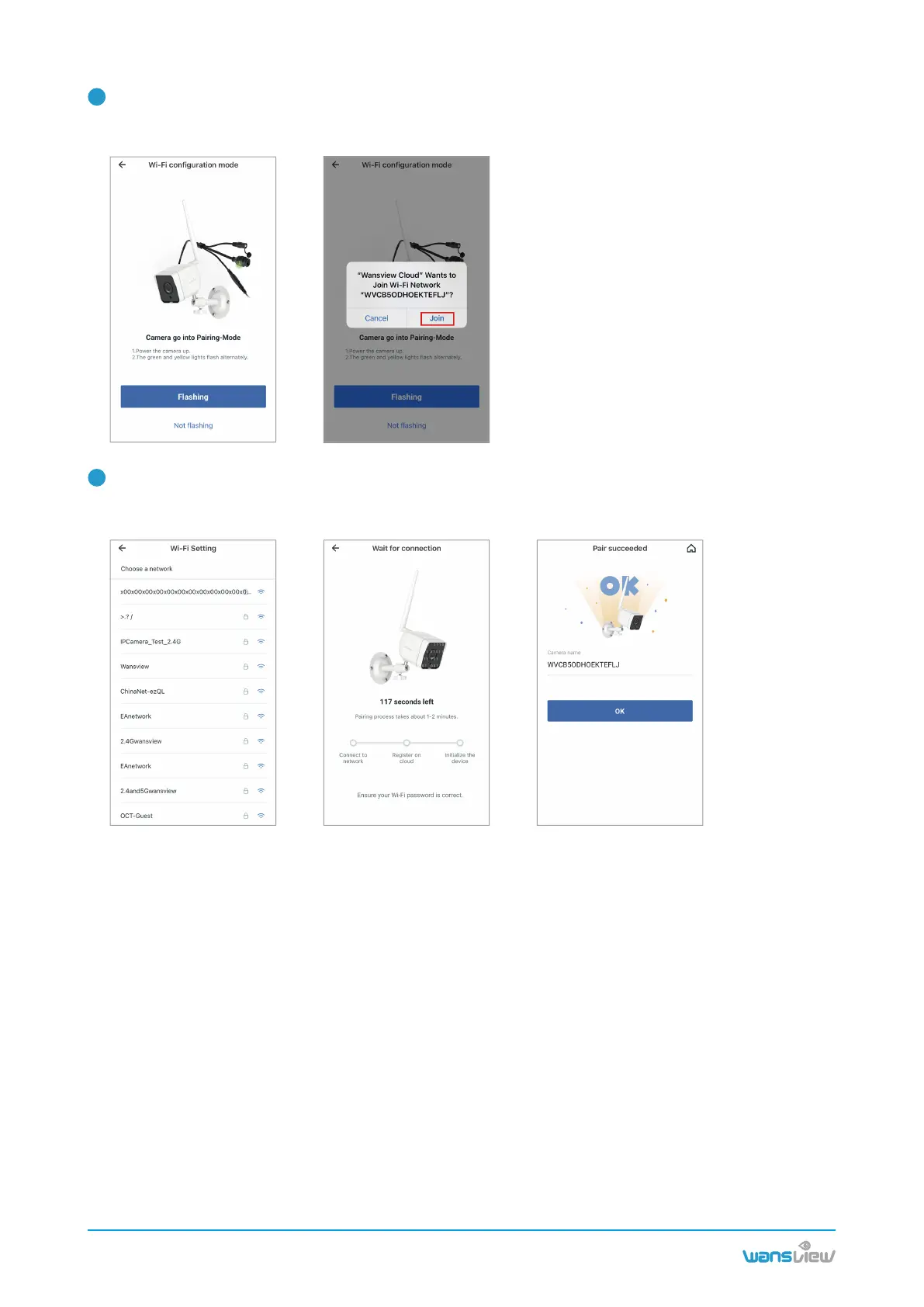
Check if the camera's indicator light is flashing yellow and green. If yes, tap【Flashing】.
Tap Go to Settings--Find a Wi-Fi named WVC*****,connect with this Wi-Fi. Then go back to Wansview
cloud app.
The app will ask you to choose a network. Select 2.4G Wi-Fi and enter the password. The camera will
start connect with the Wi-Fi. After the camera is online, you can rename the camera, and start using the
camera.
4
5
www.wansview.com
07



 To Next Page