Wansview Cloud APP User Manual
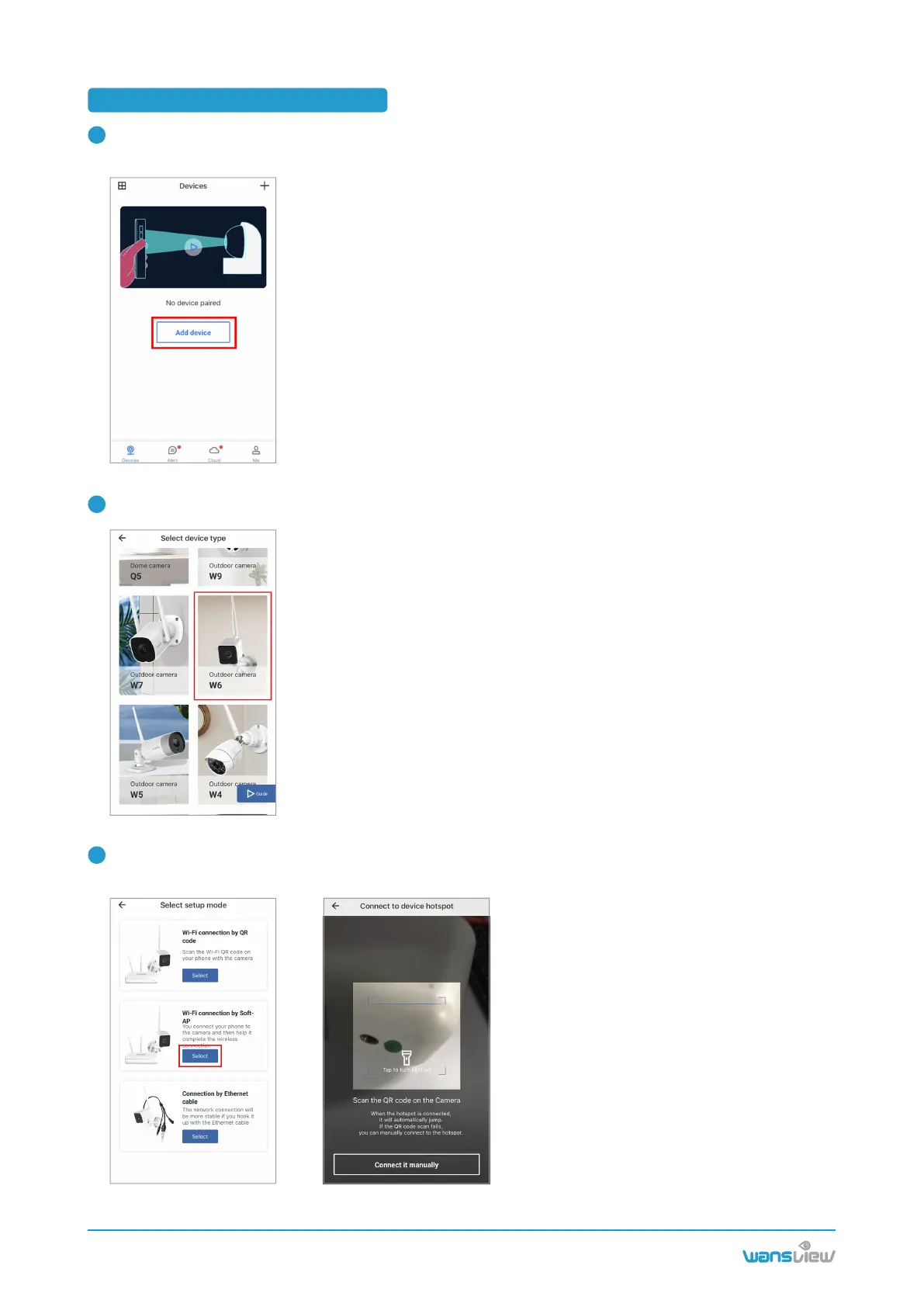
3.2 Wi-Fi connection by Soft-AP
Place the camera near the router within 3 feet and power on the camera with the attached power cord.
Make your phone use the 2.4G Wi-Fi.
Tap Add Device on the APP, and choose the camera model W6.
Select 【Wi-Fi connection by Soft-AP】 Use your phone camera to scan the QR code on the
camera sticker.
www.wansview.com
06
1
2
3



 To Next Page