Wansview Cloud APP User Manual
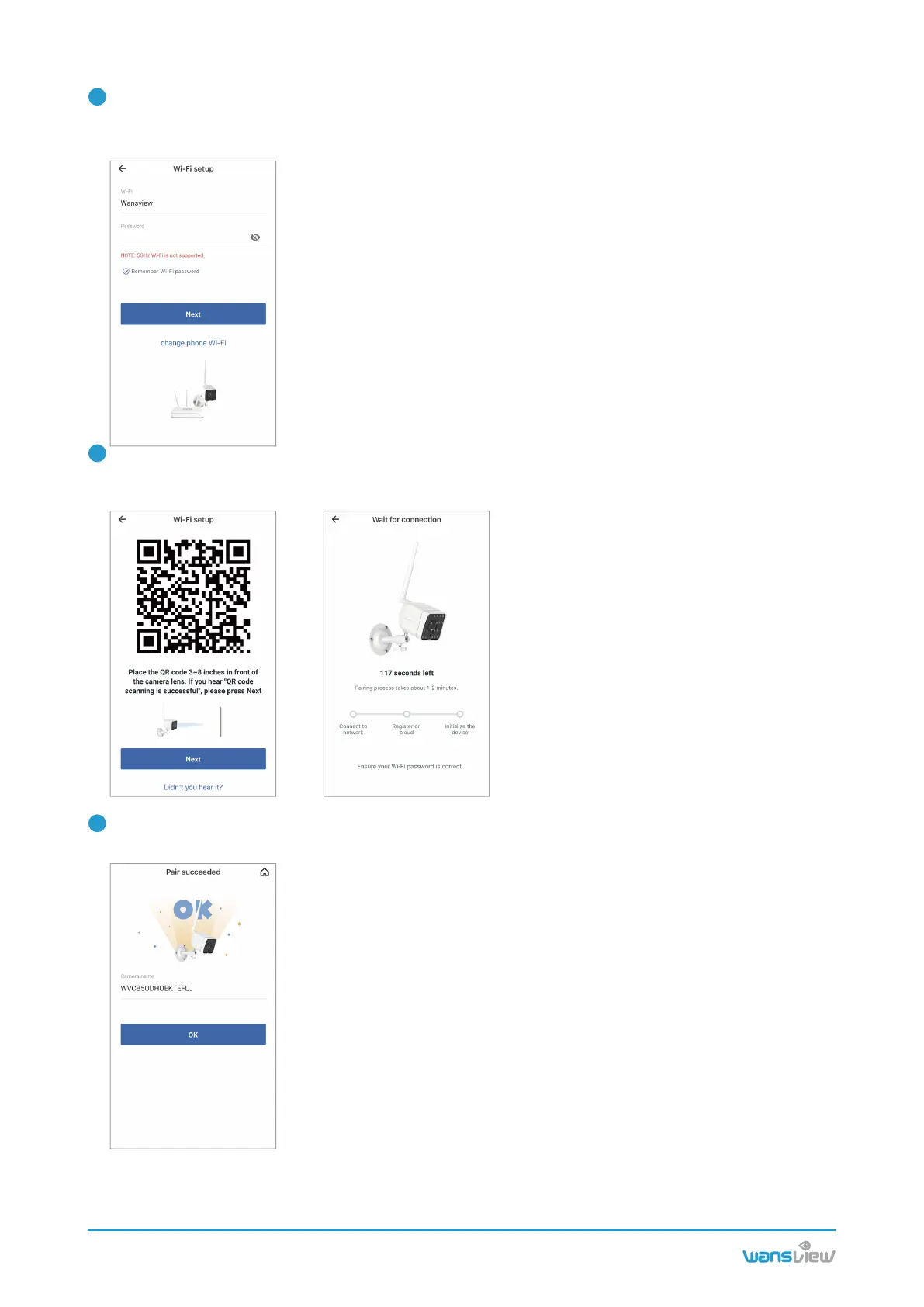
Check the indicator light status. If the connection is successful, the blue light will be solid. You can
rename the camera, and start using the camera.
The Wi-Fi name will be displayed automatically, then enter the correct Wi-Fi password and tap Next.
If Wi-Fi name is not displayed, for Android phone, please go to the Phone Setting--APP Manage-
ment--Find Wansview Cloud APP--Permissions--Allow the app to get the location info.
Adjust your screen brightness to the medium,then place the camera lens about 3-8 inches in front of the
phone and make the camera scan the QR code on the phone screen.
When hearing”QR code scanning is successful”, tap Next.
www.wansview.com
05
4
5
6



 To Next Page