Wansview Cloud APP User Manual
Setup Mode
CHAPTER 3
3.1 Wi-Fi Setup
Note:
The camera can only support 2.4Ghz Wi-Fi, it doesn’t support 5Ghz Wi-Fi.
Place the camera near the router within 3 feet and power on the camera with the attached power cord.
Make your phone use the 2.4G Wi-Fi.
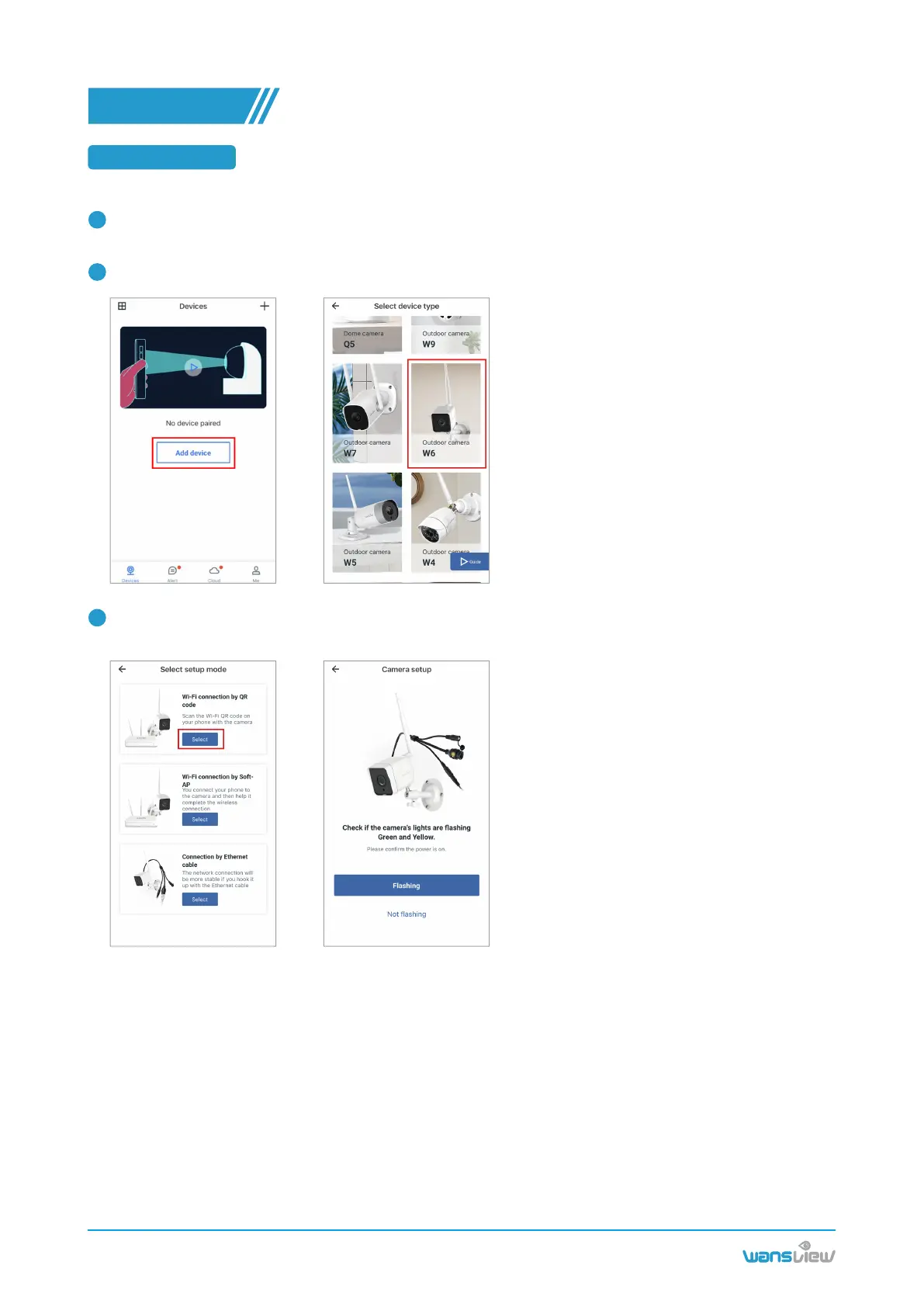
Tap 【Add Device】 on the APP, and choose the camera model W6.
Select 【Wi-Fi connection by QR code】Check if the camera's indicator light is flashing yellow and green,
if yes, tap【Flashing】.
www.wansview.com
04
1
2
3



 To Next Page