EasyManua.ls Logo

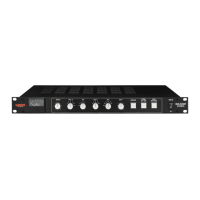
Warm Audio BUS-COMP - User Manual

Warm Audio BUS-COMP
41 pages
Print Icon
To Next Page IconTo Next Page
Loading...
BUS
-
COMP
2 CHANNEL VCA BUS COMPRESSOR
• ENGLISH (PG 1) • FRANCAIS (PG 11) • ESPAÑOL (PG 21) • DEUTSCH (PG 31)
TM
THRESHOLD ATTACK - mS RATIO RELEASE - S HPF-Hz
-20 +20
.1
.3
.6
3
10
30 1.5
2
3
4
10
.1
.3
.6
30
60
105
125
185
1.2
Auto
OFF
MAKE-UP COMPRESSOR POWER ON
OFF
EXTERNAL
SIDE - CHAIN
ENGAGE
TRANSFORMERS
0 +20
2 CHANNEL VCA
BUS COMPRESSOR
BUS
-
COMP
20
16
12
8
4
dB
COMPRESSION
0
Question and Answer IconNeed help?

Do you have a question about the Warm Audio BUS-COMP and is the answer not in the manual?

Summary

Warranty and Service Information

Warranty Statement Details

Outlines the product warranty terms, coverage limitations, and conditions for materials and workmanship.

Non-Warranty Service Options

Provides information on how to obtain service for units outside the warranty period or conditions.

Important Safety Instructions

General Operational Safety

Operational guidelines for safe use, including placement, cleaning, and power handling.

Servicing Safety Precautions

Instructions for qualified personnel and handling of servicing procedures to avoid shock.

Getting Started: Control Panel Overview

Analog dB Meter with Calibration

Explains the dB meter function and how to calibrate its needle for accurate compression readings.

Threshold Control

Defines the threshold setting, determining the signal level at which the compressor starts working.

Attack Time Setting

Details the attack time, specifying how quickly the compressor reacts to signals exceeding the threshold.

Ratio Control

Explains the compression ratio, determining the amount of gain reduction applied to signals above the threshold.

Compressor Features and Connections

Release Time Setting

Explains the release time, determining how long the compressor remains active after the signal falls below the threshold.

High-Pass Filter (HPF)

Describes the HPF function, used to attenuate low frequencies below a selected cutoff point.

Make-Up Gain Control

Details the Make-Up Gain control for restoring the overall audio level after compression.

Compressor Engage Switch

Explains the function of the Compressor engage switch for activating or bypassing the compression effect.

External Side-Chain Input

Defines the side-chain input, allowing external signals to influence the compressor's behavior.

Advanced Features and Rear Panel

Engage Transformers

Explains how engaging transformers alters the signal path for added depth, tone, and vibe.

Power and Indicator Functions

Details the power on/off switch, IEC power receptacle, voltage indicator, and ground/fuse indicators.

Inputs, Outputs, and Connectivity

Describes the various inputs, outputs, and their connectivity options on the rear panel.

Connection Examples

Summing Mixer Connection

Illustrates how to connect the BUS-COMP to a summing mixer using send/return paths.

Audio Interface Connection

Details the signal flow for connecting the BUS-COMP to an audio interface's inputs and outputs.

Console and Rear Panel Connections

Console Insert Connection

Shows how to insert the BUS-COMP into a console's program bus output or channel inserts.

BUS-COMP Rear Panel Layout

Provides a detailed view and explanation of the rear panel's connectivity ports.

Technical Specifications

Compressor Type and Circuitry

Lists key specifications including analog nature, VCA type, and transformer details.

Performance Metrics

Details noise, headroom, dynamic range, and frequency response characteristics.

Electrical and Impedance Specs

Covers THD+Noise, input/output impedance, and connectivity options.

Summary

Warranty and Service Information

Warranty Statement Details

Outlines the product warranty terms, coverage limitations, and conditions for materials and workmanship.

Non-Warranty Service Options

Provides information on how to obtain service for units outside the warranty period or conditions.

Important Safety Instructions

General Operational Safety

Operational guidelines for safe use, including placement, cleaning, and power handling.

Servicing Safety Precautions

Instructions for qualified personnel and handling of servicing procedures to avoid shock.

Getting Started: Control Panel Overview

Analog dB Meter with Calibration

Explains the dB meter function and how to calibrate its needle for accurate compression readings.

Threshold Control

Defines the threshold setting, determining the signal level at which the compressor starts working.

Attack Time Setting

Details the attack time, specifying how quickly the compressor reacts to signals exceeding the threshold.

Ratio Control

Explains the compression ratio, determining the amount of gain reduction applied to signals above the threshold.

Compressor Features and Connections

Release Time Setting

Explains the release time, determining how long the compressor remains active after the signal falls below the threshold.

High-Pass Filter (HPF)

Describes the HPF function, used to attenuate low frequencies below a selected cutoff point.

Make-Up Gain Control

Details the Make-Up Gain control for restoring the overall audio level after compression.

Compressor Engage Switch

Explains the function of the Compressor engage switch for activating or bypassing the compression effect.

External Side-Chain Input

Defines the side-chain input, allowing external signals to influence the compressor's behavior.

Advanced Features and Rear Panel

Engage Transformers

Explains how engaging transformers alters the signal path for added depth, tone, and vibe.

Power and Indicator Functions

Details the power on/off switch, IEC power receptacle, voltage indicator, and ground/fuse indicators.

Inputs, Outputs, and Connectivity

Describes the various inputs, outputs, and their connectivity options on the rear panel.

Connection Examples

Summing Mixer Connection

Illustrates how to connect the BUS-COMP to a summing mixer using send/return paths.

Audio Interface Connection

Details the signal flow for connecting the BUS-COMP to an audio interface's inputs and outputs.

Console and Rear Panel Connections

Console Insert Connection

Shows how to insert the BUS-COMP into a console's program bus output or channel inserts.

BUS-COMP Rear Panel Layout

Provides a detailed view and explanation of the rear panel's connectivity ports.

Technical Specifications

Compressor Type and Circuitry

Lists key specifications including analog nature, VCA type, and transformer details.

Performance Metrics

Details noise, headroom, dynamic range, and frequency response characteristics.

Electrical and Impedance Specs

Covers THD+Noise, input/output impedance, and connectivity options.

Warm Audio BUS-COMP Specifications

General IconGeneral
TypeAnalog Compressor
SidechainYes
External Sidechain InputYes
Operating Level+4 dBu
Frequency Response20 Hz to 20 kHz
THD+N< 0.1%
THD< 0.05%
Input Impedance10 kΩ
Ratio2:1, 4:1
Output Impedance50 Ω
ControlsThreshold, Ratio, Attack, Release
Dimensions19" x 1.75"

Related product manuals