9
6. Carefully lift the appliance up, ensuring
that the top rear ledge of wall re
engages with the wall bracket and is
sitting centrally. This process should be
carried out by two people to avoid injury
or damage to property or the appliance.
Do not let go of the appliance until
you are sure it is safely attached to the
bracket.
7. Gently bring the wall re down against
the wall. Mark the lower xing brackets
two xing hole positions on the wall,
then remove the wall re.
8. Drill the wall and insert the wall plugs.
9. Ret the wall re to the wall and
fasten the bottom xing bracket to
the wall using the screws provided to
permanently x the wall re in place.
10. Remove the front panel and unpack the
logs from the bag and place them along
the light unit in the desired position.
11. Put the front panel back in place.
USING YOUR APPLIANCE
Helpful advice before tting:
The appliance can be operated either by the
switches located on the left hand side of the
re under its canopy or by the supplied remote
control.
MANUAL OPERATION
The On/O switch is must be switched to ‘I’ to
begin operating the re.
Operation is via by the buttons located on the
left hand side of the re under the canopy.
The re will beep to indicate that it is powered
up.
• Turn on the appliance by pressing the
Power switch on the main unit.
• To activate the ame eect, press the
Flame button. The indicator light will
illuminate, this can be activated without
the heater operating.
• Press once for a low brightness setting,
the next two presses of the button will
increase the brightness.
• A fourth press of the button will switch the
ame eect o.
• The fan heater has two separate settings
that are selected by pressing each
Function button.
• Pressing Button One selects the 1000W
heat setting, the Heat 1 display will
illuminate.
• Pressing Button Two selects the 2000W
setting, the Heat 2 display will illuminate.
• To turn the heater o press the Function
button again and set the power switch
to 0.
REMOTE OPERATION
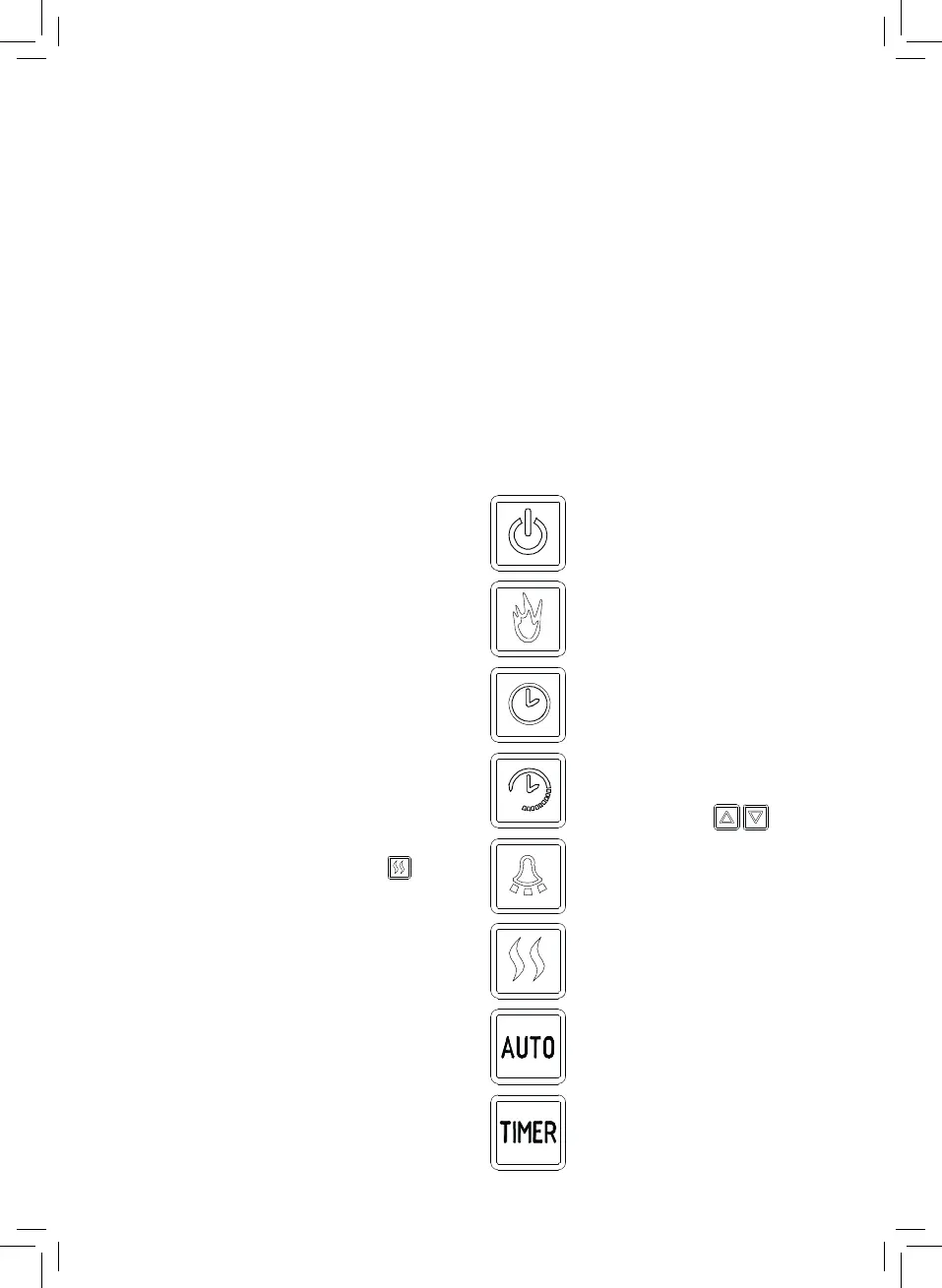
Press once to turn the appliance
and ame eects on. Pressing
again turns the appliance and
ame eects o.
Press to cycle through the three
ame eect settings.
Time calibration settings. If not
set the timer eect will start from
00:00.
Press once to reduce the light
brightness. Pressing again turns
the light o.
Press once to activate 1000W
heat, pressing twice activates
2000W. Pressing again will turn o
the heating.
Open window On/O.
Press to turn the Timer settings
On/O.
Timer setting. You can set two
time periods and temperature
which set using the



 To Next Page