Installation and operation manual DC
5. Using the heat pump
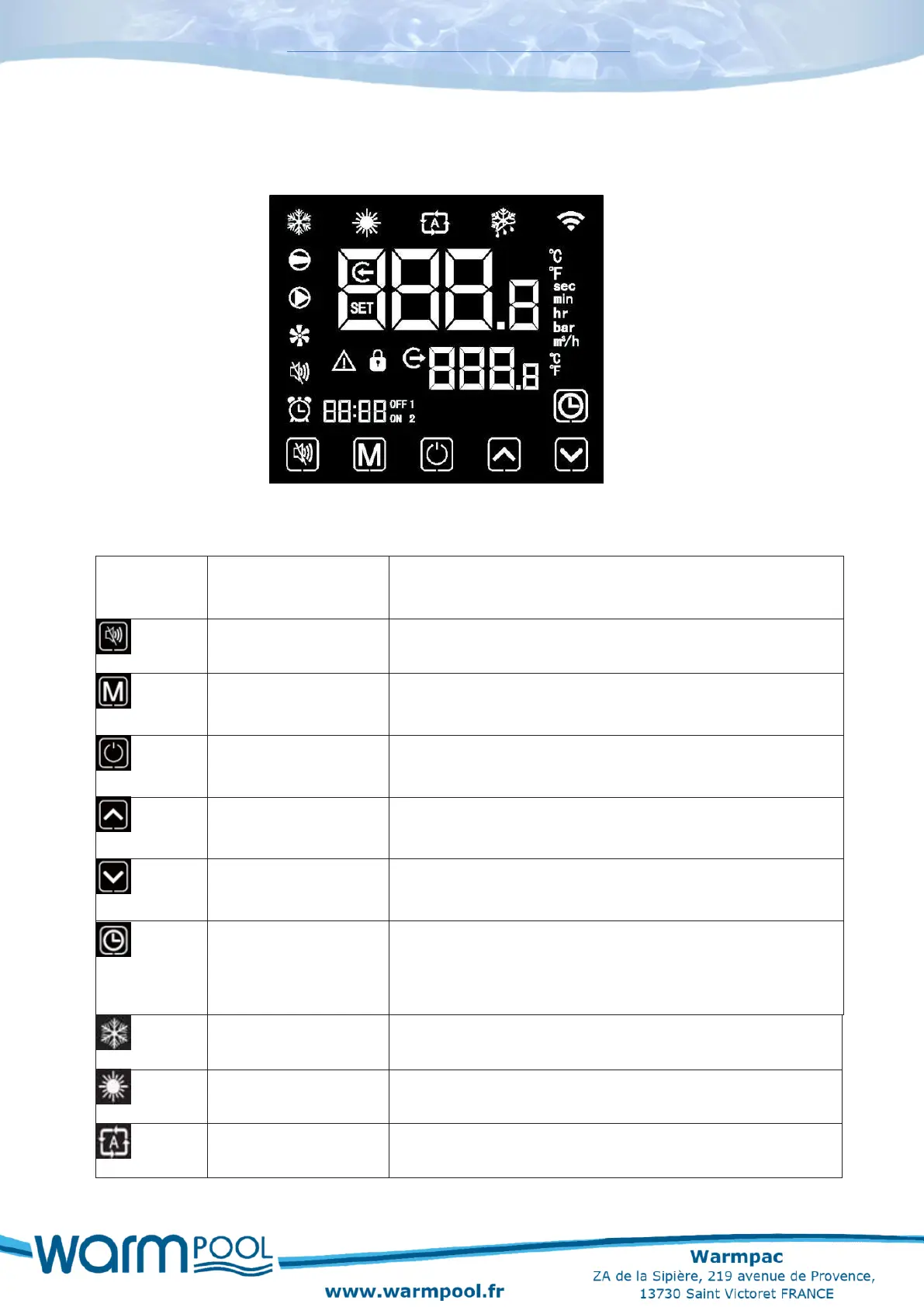
5.1 Interface screen
5.2 Instructions and functions of the icon keys
Silent mode available only on our Inverter models.
Changes the operating mode and the access to parameter
settings.
Start and stop button, cancels an operation in progress and
returns to the previous operating level.
Used to scroll through the parameters and operating and
temperature values.
Used to scroll through the parameters and operating and
temperature values.
The clock allows the user to set the time. It is important to
set the time so that the operating programs saved in
synchronisation remain active.
Displayed when cooling the water.
Displayed when heating the water.
Displayed in automatic mode.


 To Next Page