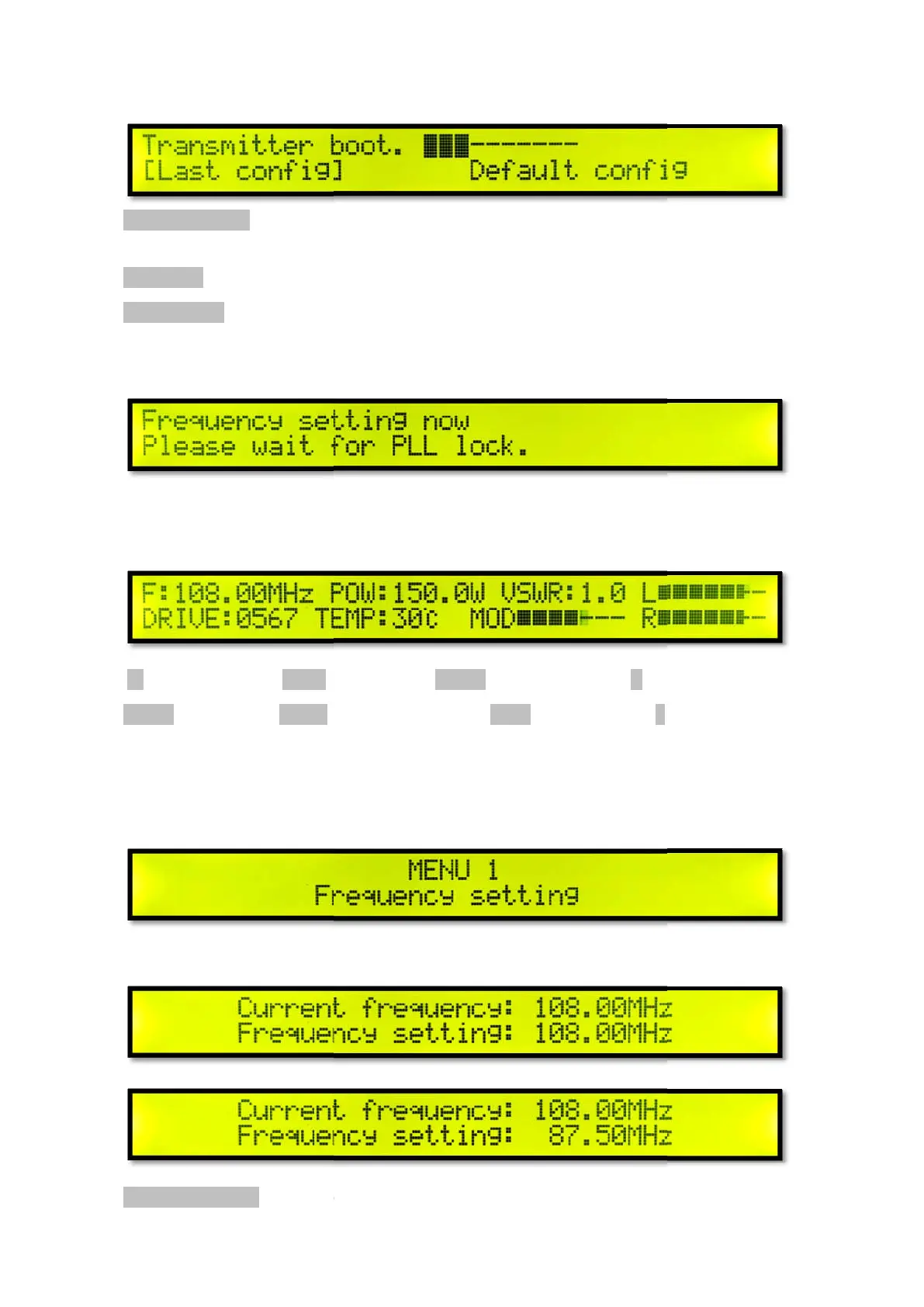
The transmitter starts default
Transmitter boot.
select, short press the knob to confirm.
Last Config
Default config
default configuration, the system default frequency 98MHZ / power O
external modulation / audio pre
PLL lock wait
Waiting time 2-10 seconds.
Main interface
F: Current frequency POW:
DRIVE: Amplifier Push TEMP:
Short press the knob to enter the menu settings, turn the knob to s
Menu 1 F
Short press the knob to enter the frequency setting.
Current frequency:
nters the selected setting in
about 10 seconds. Turn the knob to
select, short press the knob to confirm.
the latest shutdown configuration.
default configuration, the system default frequency 98MHZ / power O
external modulation / audio pre
-emphasis 0 / volume gain 0dB.
wer VSWR: Standing wave ratio L
MOD Modulation Level R
Short press the knob to enter the menu settings, turn the knob to s
elect the desired setting menu.
Short press the knob to enter the frequency setting.
about 10 seconds. Turn the knob to
default configuration, the system default frequency 98MHZ / power O
N /Stereo +
Right channel level
elect the desired setting menu.



 To Next Page