Frequency setting:
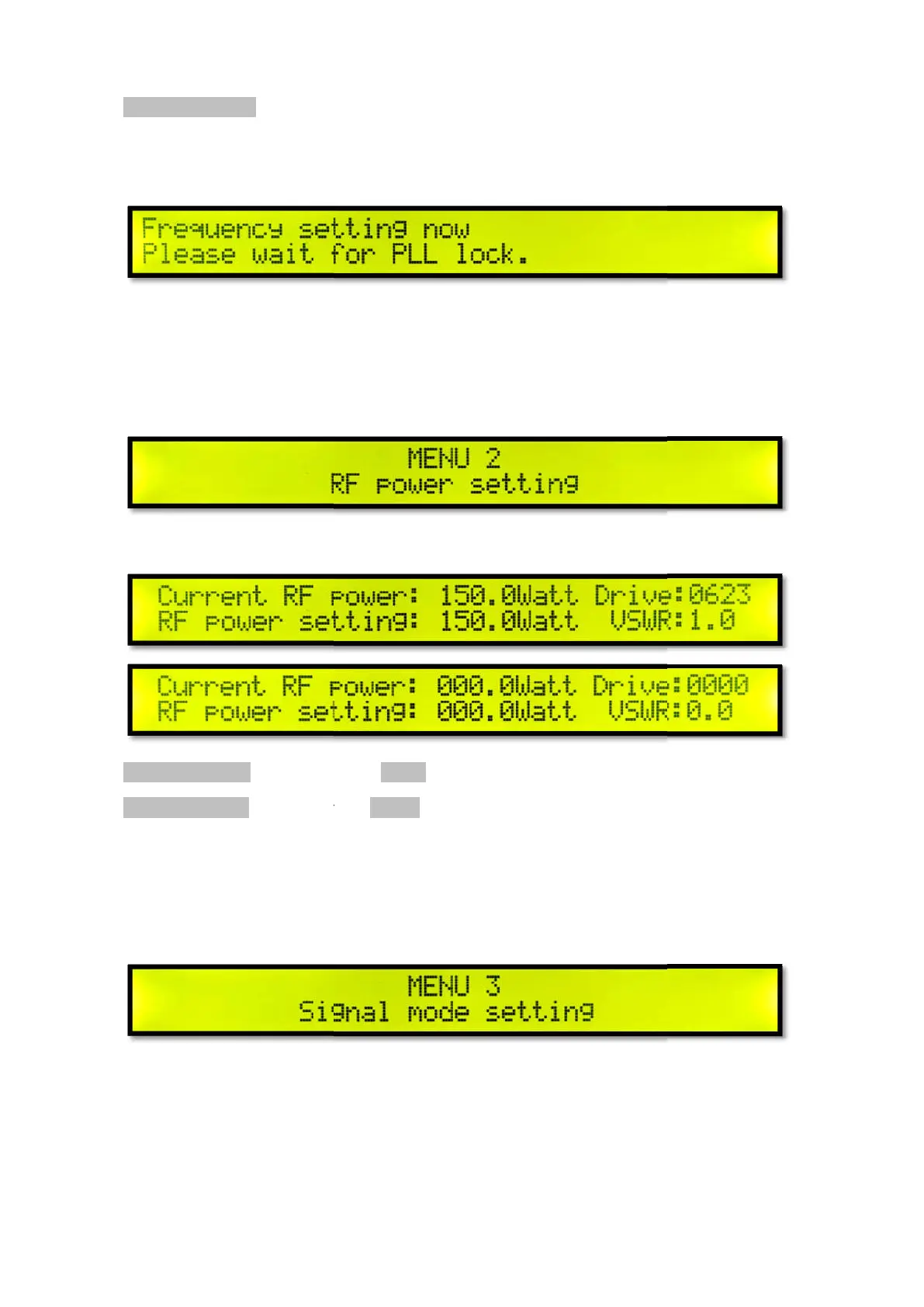
Turn the knob to adjust the frequency setting, short press the knob to confirm the frequency setting.
The PLL locks again for each frequency setting. After the lock is completed, return to menu 1
frequency setting.
Menu 2 RF P
Short press the knob to enter the power setting.
Current RF power:
RF power setting:
Turn the knob to adjust the power setting, press the knob to confirm the power setting. And return to
menu 2 power settings.
Menu 3 S
Short press the knob to enter the signal
Turn the knob to adjust the frequency setting, short press the knob to confirm the frequency setting.
The PLL locks again for each frequency setting. After the lock is completed, return to menu 1
Short press the knob to enter the power setting.
Drive: Amplifier push
VSWR: VSWR
Turn the knob to adjust the power setting, press the knob to confirm the power setting. And return to
Short press the knob to enter the signal
modulation setting.
Turn the knob to adjust the frequency setting, short press the knob to confirm the frequency setting.
The PLL locks again for each frequency setting. After the lock is completed, return to menu 1
Turn the knob to adjust the power setting, press the knob to confirm the power setting. And return to



 To Next Page