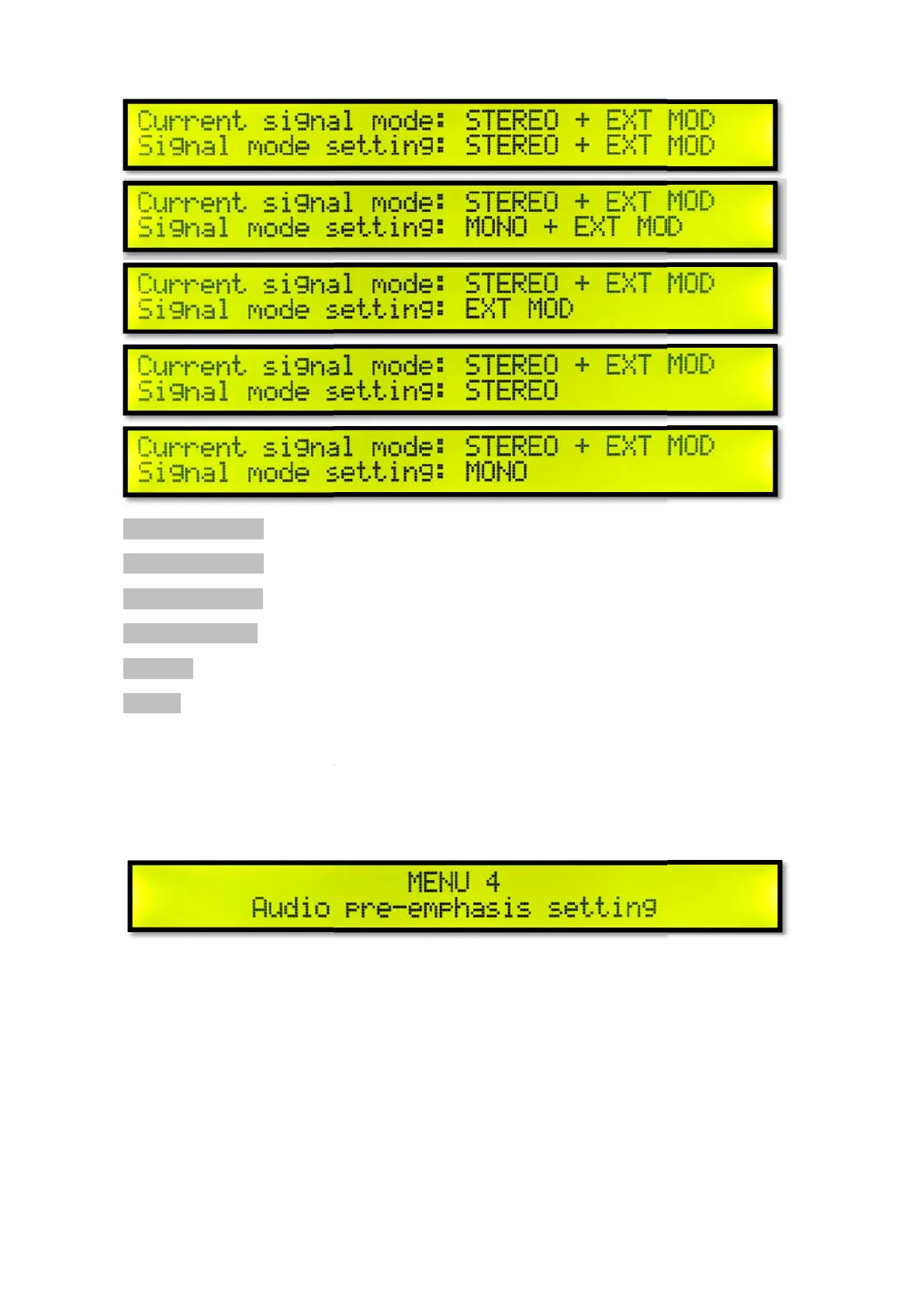
Current signal mode
Signal mode setting
STEREO + EXT MOD
Stereo + External Modulation Input
MONO + EXT MOD
Mono + External Modulation Input
EXT MOD
External Modulation Input
STEREO Stereo Input
Turn the knob to adjust the signal mode setting, short press the knob to confirm the signal mode
setting. And return to menu 3 signal mode setting.
Menu 4 Audio pre-
Short press the knob to enter the short press k
Stereo + External Modulation Input
Mono + External Modulation Input
External Modulation Input
Turn the knob to adjust the signal mode setting, short press the knob to confirm the signal mode
setting. And return to menu 3 signal mode setting.
Short press the knob to enter the short press k
nob to enter the signal modulation setting.
Turn the knob to adjust the signal mode setting, short press the knob to confirm the signal mode
nob to enter the signal modulation setting.



 To Next Page