14.
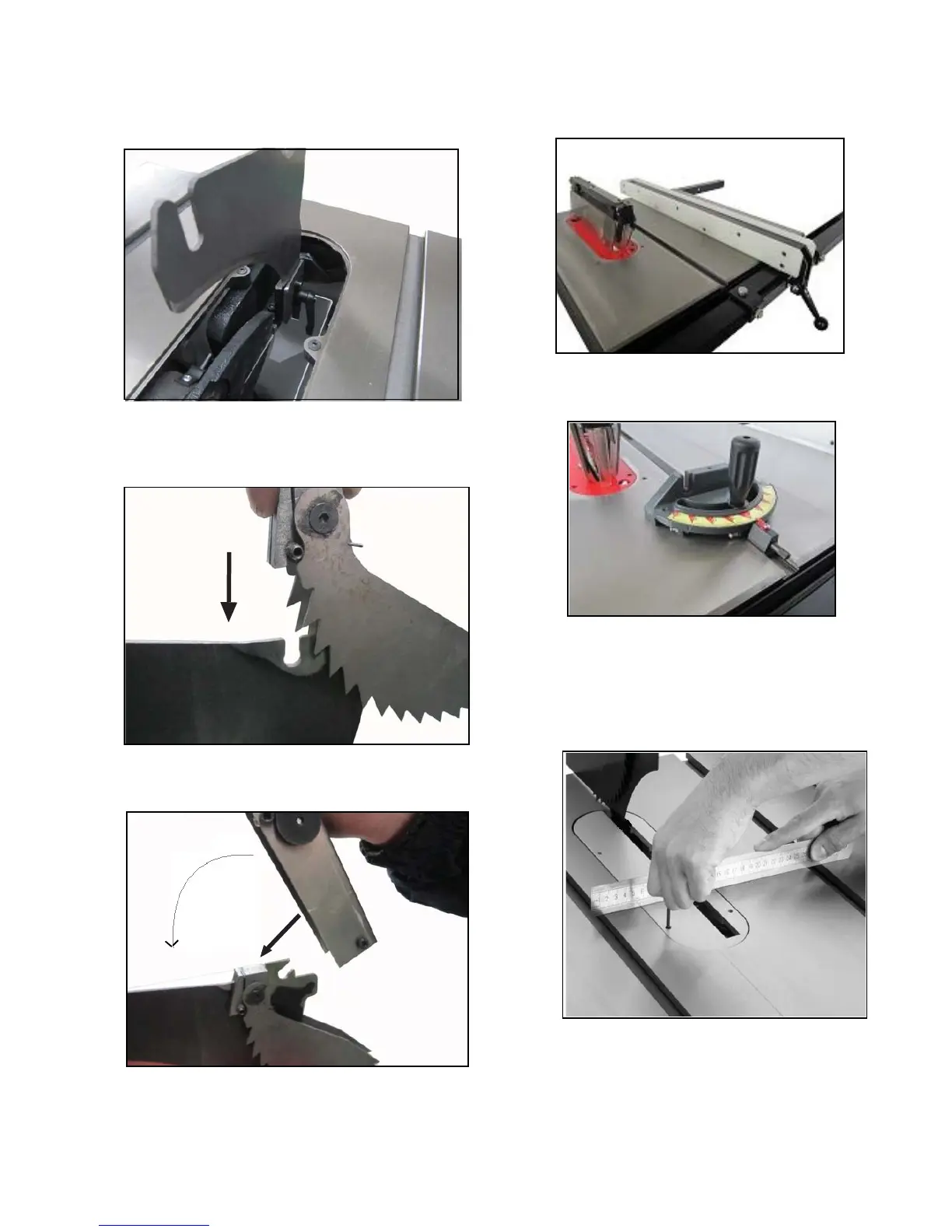
Attach the spliter on the bracket and tighten the
Figure 18.
screw and put the table insert back in place sh-
owed in
Figure 18.
&)
17.
Attach the fence assembly to the rail as shown in
Figure 21.
18.
Slide the miter gauge into the T-slot as shown in
Figure 22.
Figure 21.
Fence Assembly
Figure 22.
Miter Gauge
15.
Set the anti-kickback finger device to spliter show-
Figure 19.
ed in
Figure 19.
16.
Attched the saw blade guard showed in
Figure 20.
Figure 20.
Attach Spliter
Anti-kickback finger device
Saw blade guard
19.
Place the table insert into the table. Place a
stri-
ing 3mm hex wrench, adjust table insert flush
with thetable by rotating the set screw as shown in
Figure 23.
Figure 23.
ghtedge across the table and table insert us-
Table insert hight adjustment


 To Next Page